
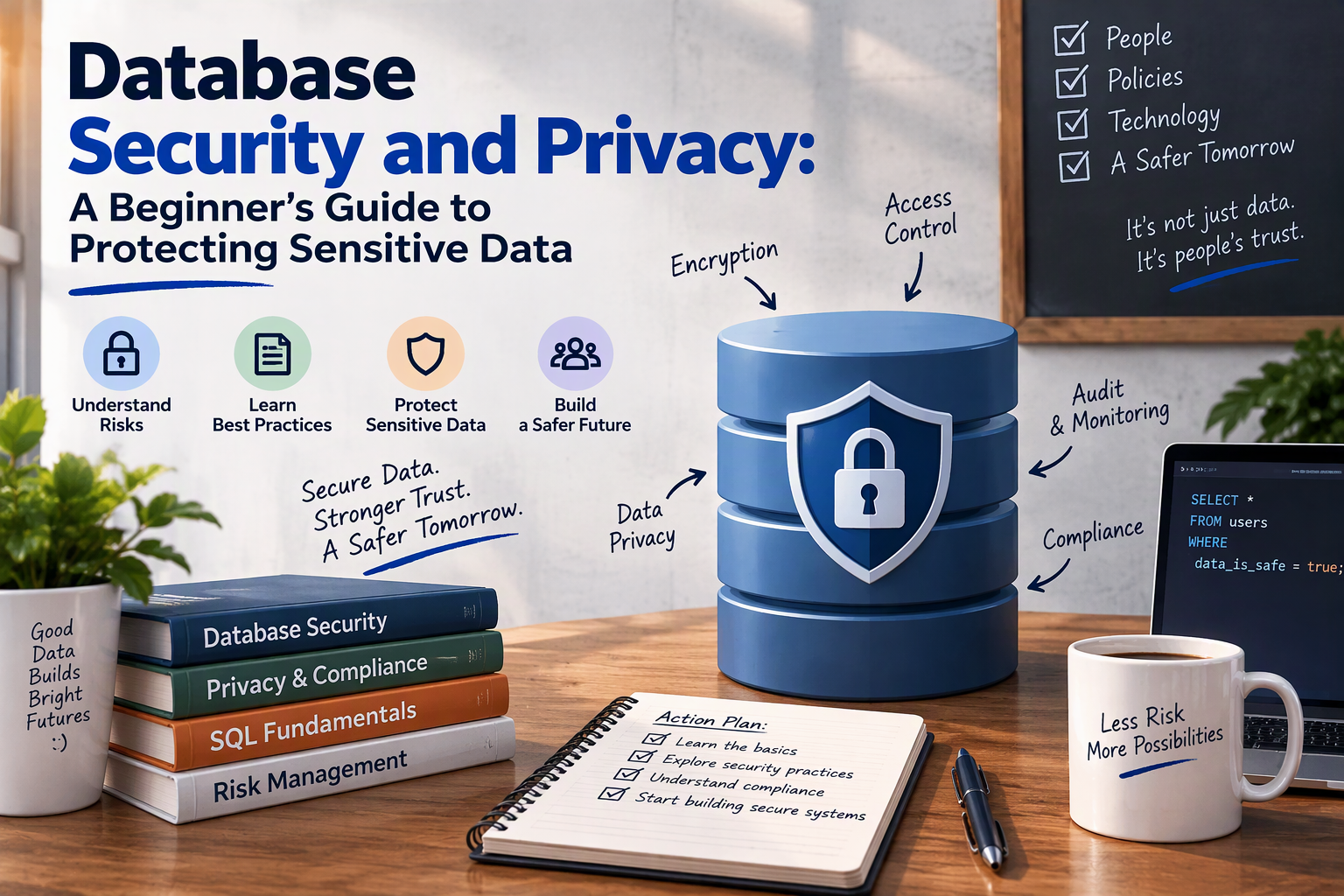
Almost every application you use ends with a database: a login form, a shopping cart, a school roster, a patient portal. When a company is “hacked,” the thing attackers usually walk away with is a copy of a database. That makes the database the most valuable target in most systems, and the place where security and privacy matter most.
This guide explains how databases get breached, the layers of protection that make a breach less likely and less damaging, and which data should be encrypted. It uses PostgreSQL for the code examples (see the PostgreSQL for beginners guide if you want to set one up), but the ideas apply to MySQL, SQL Server, Oracle, and others.
Security vs. Privacy in a Database
The two ideas work together:
- Database security is about protecting the data from unauthorized access, change, or loss: passwords, encryption, firewalls, backups.
- Database privacy is about deciding what personal data you store at all, who may see it, what it may be used for, and how long you keep it. For the bigger picture, read what data privacy is.
A perfectly secured database that stores far more personal data than it needs is still a privacy risk. The safest record is the one you never collected.
How Databases Get Breached
Knowing the common causes tells you where to spend effort first:
| Cause | What it looks like |
|---|---|
| Weak or default credentials | The admin account still uses a default or easily guessed password |
| Exposed to the internet | A database port open to the world with no firewall |
| SQL injection | An app builds queries from user input, letting attackers run their own SQL |
| Excess privileges | An app or user has far more access than it needs |
| Unpatched software | Known vulnerabilities in the database or operating system |
| Stolen credentials | Passwords found in code repositories, config files, or phishing |
| Insecure backups | A backup file sitting unencrypted in a shared folder or public storage |
| Insider mistakes or misuse | Employees who copy, share, or misconfigure data |
| Misconfigured cloud services | Public storage buckets or open database endpoints |
Most of these are not clever hacks. They are basic gaps.
Layer 1: Lock Down the Network
Treat your database like something that should never face the public internet.
- Place it on a private network or subnet, reachable only from your application servers.
- Use a firewall to allow only the specific IP addresses and ports that need access (for example, PostgreSQL’s port 5432 or MySQL’s 3306).
- For remote administration, use a VPN or a secure tunnel, or an SSH connection with keys (see what SSH is), rather than opening the port.
- Change default ports and disable unneeded network features where it makes sense, but do not rely on this alone.
- Learn how the layers fit together in the computer networking guide.
Layer 2: Strong Authentication
- No default or shared passwords. Change vendor defaults immediately, and give every person and application its own account.
- Use long, random passwords stored in a password manager or secrets vault, never in source code.
- Require multi-factor authentication for administrative access where your platform supports it.
- Use certificates or cloud identity (such as IAM-based database authentication) where available.
- Remove or disable unused accounts and test or sample databases.
Layer 3: Least Privilege
Least privilege means every account gets only the access it needs and nothing more. It limits damage when an account is stolen or a bug is exploited.
- The web application should connect with an account that can read and write only the tables it uses. It should not be a superuser, and it should not be able to drop tables or create users.
- Analysts may need read-only access, perhaps to a limited set of tables or views.
- Administrators should use separate admin accounts only for admin work.
A PostgreSQL example:
-- A role for the application: can log in, nothing else
CREATE ROLE app_user LOGIN PASSWORD 'use-a-long-random-password-from-your-vault';

-- Give it access to only what it needs
GRANT CONNECT ON DATABASE shop TO app_user;
GRANT USAGE ON SCHEMA public TO app_user;
GRANT SELECT, INSERT, UPDATE ON orders, customers TO app_user;

-- A read-only role for analysts
CREATE ROLE analyst LOGIN PASSWORD 'another-long-random-password';
GRANT CONNECT ON DATABASE shop TO analyst;
GRANT USAGE ON SCHEMA public TO analyst;
GRANT SELECT ON orders TO analyst;
You can go further by exposing views that show only safe columns (for example, hiding emails or phone numbers), or by using row-level security so that users see only rows they are allowed to see.
-- A view that leaves out sensitive columns
CREATE VIEW customer_summary AS
SELECT id, first_name, city, signup_date
FROM customers;

GRANT SELECT ON customer_summary TO analyst;
Layer 4: Stop SQL Injection
SQL injection happens when an application glues user input directly into a query. An attacker types SQL instead of a name, and the database runs it. It remains one of the most common causes of data theft. Read the full guide on SQL injection and how to prevent it.
The fix is to use parameterized queries (also called prepared statements), which keep the SQL and the data separate. A Python example with the psycopg2 library:
# Unsafe: user input is pasted into the SQL text
cur.execute(f"SELECT * FROM users WHERE email = '{email}'")

# Safe: the driver sends the value separately from the query
cur.execute("SELECT * FROM users WHERE email = %s", (email,))
Also validate input, use an ORM or query builder carefully, and give the application account only the permissions it needs, so an injection bug cannot do much.
Layer 5: Encryption
Encryption turns readable data into scrambled data that is useless without a key. For databases there are three places to apply it.
Encryption in transit
Data moving between the application and the database can be read by anyone who can see the network. Require TLS/SSL for all connections, and refuse unencrypted ones. In PostgreSQL, for example, you enable SSL in the server configuration and have clients connect with sslmode=verify-full so they check the server’s certificate.
Encryption at rest
This protects data stored on disk, including database files, logs, and backups. If a disk, snapshot, or backup is stolen, the data stays unreadable. Options include:
- Full-disk or volume encryption (for example, LUKS on Linux, BitLocker on Windows, or encrypted cloud volumes)
- Transparent Data Encryption (TDE) in products such as SQL Server, Oracle, and some MySQL editions
- Encrypted managed databases in cloud services, usually a setting you turn on
At-rest encryption does not protect against someone who logs in with valid credentials or a successful SQL injection, because the database decrypts data for any authorized query. That is why column-level protection matters for the most sensitive fields.
Encryption of specific fields (column or application-level)
Here individual values are encrypted before or while they are stored, so even a database administrator or a stolen live copy sees only scrambled text. It is harder to search and sort encrypted columns, so apply it selectively. That leads to the key question.
What Data in a Database Should Be Encrypted?
A practical rule: encrypt everything in transit and at rest by default, then add field-level encryption or hashing for your most sensitive data. The table below shows how to treat common data types.
| Data | Recommended protection |
|---|---|
| Passwords | Never encrypt, never store as plain text. Hash with a slow, salted algorithm such as bcrypt, scrypt, or Argon2. Hashing is one-way, so even you cannot recover the original. |
| Payment card numbers | Avoid storing them at all. Use a payment processor’s tokenization. If you must store them, strong encryption and compliance with PCI DSS are required. Never store the security code (CVV) after authorization. |
| Government IDs (national ID, Social Security number, passport, driver’s license) | Field-level encryption, restricted access, and masking in displays |
| Bank account and financial details | Field-level encryption and strict access control |
| Health and medical data | Encrypt at rest and in transit, with field-level encryption for diagnoses and notes; access logging. May be subject to HIPAA or similar laws |
| Biometric data (fingerprints, face templates) | Strong field-level encryption, ideally stored as templates rather than raw images |
| Authentication secrets (API keys, tokens, security answers, MFA seeds) | Encrypt, or keep in a dedicated secrets manager outside the database |
| Personal contact details (email, phone, home address) | Encrypt at rest as a baseline; field-level encryption for higher-risk systems. Consider whether you need to store them |
| Date of birth and other quasi-identifiers | Protect with at-rest encryption, limited access, and masking. Combined with other fields they can identify a person |
| Children’s and student data | Treat as sensitive: at-rest and in-transit encryption plus field-level protection for the most private records (see K-12 data privacy) |
| Private messages and documents | Encrypt at rest; consider end-to-end or application-level encryption for highly confidential content |
| Backups, exports, and logs containing any of the above | Always encrypted. These are a common source of leaks |
| Non-sensitive public data (product catalog, public posts) | At-rest encryption is still a good default, but field-level is unnecessary |
Some simple ways to decide for any column:
- Would exposure cause harm? Identity theft, financial loss, discrimination, safety risk, or legal penalties point to encryption.
- Is it regulated? Laws and standards such as GDPR, HIPAA, PCI DSS, and state privacy laws may require it or set expectations.
- Do you need to search or compare it? If you must query on the value, consider hashing a separate “lookup” copy, or use deterministic or searchable encryption carefully, because those features reduce protection.
- Do you need the original back? Passwords do not need to be recovered, so hash them. A tax ID may need to be displayed later, so encrypt it.
- Could you avoid storing it? Deleting it, shortening it (the last four digits), or tokenizing it is stronger than encrypting it.
Hashing vs. encryption
| Hashing | Encryption | |
|---|---|---|
| Reversible? | No | Yes, with the key |
| Use for | Passwords, integrity checks | Data you must read again |
| Example | bcrypt, Argon2 | AES-256 |
A small field-level encryption example
PostgreSQL’s pgcrypto extension can hash passwords and encrypt values. This is a learning example: in a real system, keep the key in a secrets manager or key management service, not in the query or the database.
CREATE EXTENSION IF NOT EXISTS pgcrypto;

-- Hash a password (one-way) with bcrypt
INSERT INTO users (email, password_hash)
VALUES ('[email protected]', crypt('a-strong-passphrase', gen_salt('bf')));

-- Check a login attempt
SELECT id FROM users
WHERE email = '[email protected]'
  AND password_hash = crypt('a-strong-passphrase', password_hash);

-- Encrypt a sensitive value (reversible, needs the key)
INSERT INTO patients (name, ssn_encrypted)
VALUES ('Ana Lopez', pgp_sym_encrypt('123-45-6789', 'key-from-your-secrets-manager'));

-- Decrypt it
SELECT pgp_sym_decrypt(ssn_encrypted, 'key-from-your-secrets-manager') FROM patients;
Note that doing the encryption inside SQL means the key and plain value pass through the database and may show up in logs. Many teams encrypt in the application code instead, so the database only ever sees ciphertext. Passwords are best hashed in the application, using a well-reviewed library.
Key management matters as much as encryption
Encrypted data is only as safe as the key:
- Never store keys next to the data or in source code.
- Use a key management service (KMS), hardware security module, or secrets vault.
- Rotate keys on a schedule and after any suspected exposure.
- Limit who can use keys, separate from who can access the database.
- Back up keys securely. Losing the key means losing the data.
Layer 6: Backups and Recovery
- Back up regularly, and keep at least one copy offline or immutable so ransomware cannot encrypt or delete it.
- Encrypt backups and protect them with the same care as the live database.
- Test restores. A backup that has never been restored is a hope, not a plan.
- Delete old backups according to your retention policy. Old copies still contain personal data.
- In PostgreSQL, tools like
pg_dumpandpg_restorecover logical backups, as explained in the PostgreSQL guide.
Layer 7: Auditing and Monitoring
You cannot respond to what you cannot see.
- Log logins, failed logins, privilege changes, and schema changes.
- Log access to sensitive tables where your database supports it (for example, the
pgauditextension for PostgreSQL). - Send logs to a separate system that database admins cannot alter.
- Alert on unusual activity: large exports, logins at odd hours, new accounts, many failed attempts, or queries from unexpected locations.
- Review accounts and permissions regularly, and remove what is no longer needed.
Layer 8: Keep Software Patched
Database engines, operating systems, drivers, and extensions get security fixes regularly. Subscribe to your vendor’s security announcements, test updates, and apply them promptly. If you run databases in containers, rebuild images with updated versions (see the MySQL with Docker guide). Remove software and features you do not use.
Privacy by Design in Your Database
Technical controls are only part of the picture. Build privacy into your design from the start, as covered in database design planning:
- Collect only what you need. Every column is a liability. Ask if you can do without it.
- Separate sensitive data into its own table with tighter permissions, linked by an ID.
- Pseudonymize or anonymize data used for testing, analytics, and reporting. Never copy raw production data into development environments.
- Mask data shown to users who do not need the full value (for example, showing only the last four digits).
- Set retention rules and delete or archive data you no longer need.
- Support people’s rights: be able to find, export, correct, and delete a person’s data when laws require it.
- Document your data: what each table holds, why, and who owns it.
Database Security Checklist
Network and access
- Database is not directly reachable from the internet
- Firewall allows only required hosts and ports
- No default or shared accounts; passwords are long, unique, and in a vault
- MFA for administrators
- Each application and person has the least privilege needed
Data protection
- TLS required for all connections
- Disk, volume, or TDE encryption enabled
- Passwords hashed with bcrypt, scrypt, or Argon2
- Highly sensitive fields encrypted at the field level or tokenized
- Encryption keys stored in a KMS or vault, rotated, and access-controlled
- Sensitive data masked or minimized where possible
Application
- All queries use parameters, not string concatenation
- Application account is not a superuser
Operations
- Encrypted, tested, and partly offline backups
- Audit logging and alerts enabled
- Regular patching
- Regular review of accounts and permissions
- Incident response plan that includes database breaches
Common Mistakes to Avoid
- Using the same database account for the app, reporting, and admin work
- Leaving test databases and sample data on production servers
- Committing connection strings and passwords to a code repository
- Believing “encryption at rest” protects against a stolen password or SQL injection
- Copying production data into development or a spreadsheet
- Forgetting that logs, exports, and backups contain the same sensitive data
- Treating security as a one-time setup instead of an ongoing routine
Conclusion
Protecting a database is about layers. Keep it off the public internet, give every account only the access it needs, use parameterized queries, encrypt data in transit and at rest, protect the most sensitive fields with field-level encryption or hashing, keep keys safe, back up and test, and watch for unusual activity. Above all, store less: the data you never collect cannot be stolen.
If you are just getting started, pick three actions this week: remove default or shared accounts, make sure the database is not exposed to the internet, and turn on TLS and encrypted backups. Then work through the checklist. For the personal side of the topic, see protecting personal information.