
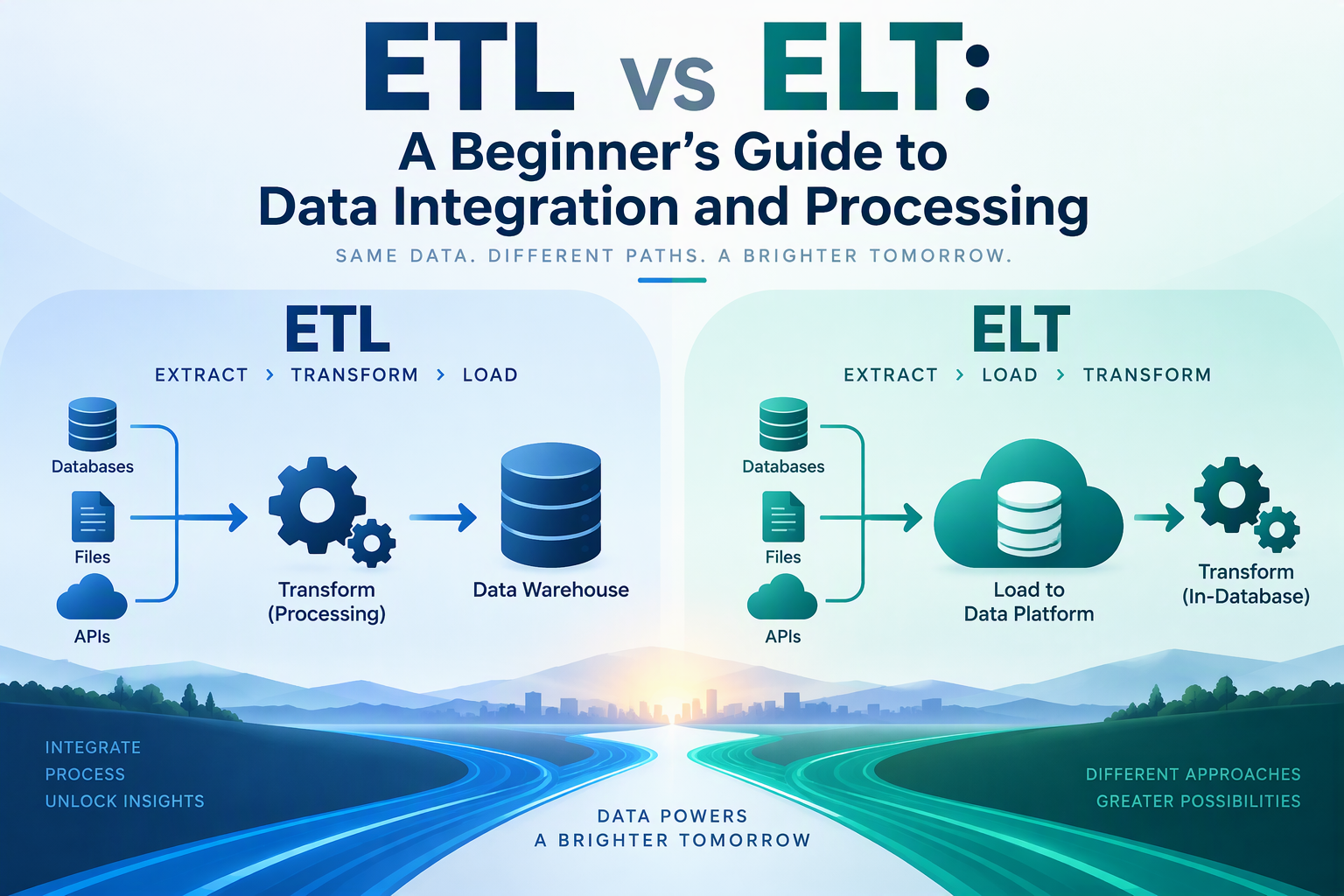
A business rarely keeps its data in one place. Sales sit in an online store, customers in a CRM, website traffic in an analytics tool, and finance numbers in spreadsheets. To answer a simple question like “Which marketing channel brings our best customers?”, someone has to collect that data, clean it up, and put it somewhere people can analyze it.
That job is called data integration, and the two most common patterns for it are ETL and ELT. They use the same three steps in a different order, and that small difference changes where the work happens, how fast you can get data, and how much flexibility you have later. This guide explains both, compares them, and shows a working example of each.
What Is Data Integration?
Data integration means combining data from different sources into a consistent, usable form, usually in a central place such as a database or a data warehouse. A warehouse is a database built for analysis and reporting rather than for running an application.
Once the data is there, analysts can query it, build dashboards, and answer questions without touching the systems the business uses every day. If you are new to the role that uses this data, read what a data analyst does.
What Is ETL?
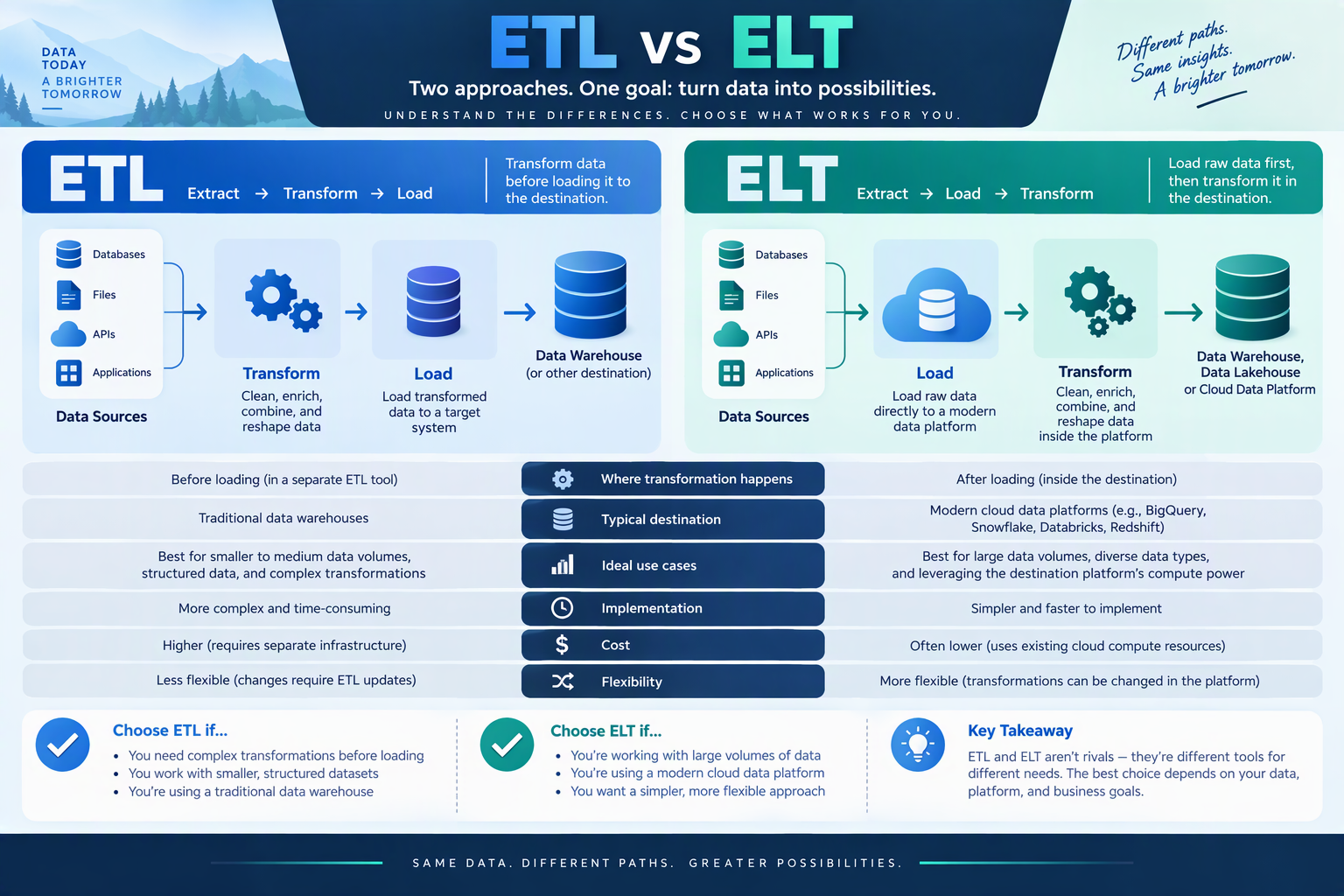
ETL stands for Extract, Transform, Load:
- Extract: pull data out of the source systems (databases, files, APIs, apps).
- Transform: clean and reshape it before it is stored: fix formats, remove duplicates, combine sources, calculate new fields.
- Load: write the finished, cleaned data into the destination.
Source systems → Extract → Transform (on a separate server) → Load → Warehouse
In ETL, the transformation happens in a separate processing step, using a script, a server, or an ETL tool, before anything reaches the warehouse. The warehouse only ever receives tidy, ready-to-use data.
What Is ELT?
ELT stands for Extract, Load, Transform. The last two steps swap places:
- Extract: pull data from the sources.
- Load: write the raw data straight into the destination, with little or no changes.
- Transform: use the destination’s own processing power (usually SQL) to clean and reshape it after it is loaded.
Source systems → Extract → Load (raw) → Transform (inside the warehouse)
ELT became popular with cloud data warehouses such as BigQuery, Snowflake, and Redshift, and with data lakes, which can store huge volumes of raw data cheaply and process it quickly. Because the warehouse is powerful and storage is inexpensive, it often makes sense to load everything first and decide how to transform it later.
ETL vs ELT: The Key Differences
| ETL | ELT | |
|---|---|---|
| Order of steps | Extract → Transform → Load | Extract → Load → Transform |
| Where transformation happens | In a separate processing engine or script | Inside the destination database or warehouse |
| What gets stored | Only cleaned, transformed data | Raw data, plus the transformed tables |
| Speed to first data | Slower, because transformation must finish first | Faster, because loading is simple |
| Flexibility | Changing a transformation means re-running the pipeline | Raw data is kept, so you can transform it again any time |
| Typical languages | Python, Java, or ETL tool interfaces | SQL |
| Works best with | Traditional databases, smaller data, strict data rules | Cloud warehouses and data lakes, large or varied data |
| Data privacy | Sensitive fields can be removed or masked before loading | Raw data, including sensitive fields, lands in the warehouse, so access must be controlled |
| Cost profile | Needs a separate transformation server | Uses warehouse compute, which you pay for per query or per hour |
Neither is “better.” They are different tools suited to different situations.
A Simple Analogy
Imagine making a salad for a big event:
- ETL is like washing, chopping, and mixing everything in the kitchen, then bringing only the finished salad to the table. Guests get exactly what you prepared, but you decided the recipe in advance.
- ELT is like bringing all the fresh ingredients to the table and letting each guest chop and mix their own. It is faster to get started and flexible, but you need good tools, a clean table, and some rules about who touches what.
Hands-On: ETL in Python
Here is a small, realistic example. Suppose you receive this messy orders.csv:
order_id,customer,order_date,amount
1, Ana ,2025-01-05,$35.50
2,LUIS,2025-01-06,$120.00
2,LUIS,2025-01-06,$120.00
3,Marta,2025-01-07,
4,Pedro,not a date,$19.99
It has extra spaces, inconsistent capitalization, a duplicate row, dollar signs in the amounts, a missing amount, and an invalid date. This ETL script cleans it with pandas before loading it into a database. (Install the libraries with pip install pandas sqlalchemy. For more on the pandas methods, see cleaning data with Python Pandas.)
import pandas as pd
from sqlalchemy import create_engine

# Extract
raw = pd.read_csv("orders.csv")

# Transform
clean = (
    raw.drop_duplicates()
       .assign(
           customer=lambda d: d["customer"].str.strip().str.title(),
           order_date=lambda d: pd.to_datetime(d["order_date"], errors="coerce"),
           amount=lambda d: pd.to_numeric(
               d["amount"].str.replace("$", "", regex=False), errors="coerce"
           ),
       )
       .dropna(subset=["order_date", "amount"])
)

# Load
engine = create_engine("sqlite:///warehouse.db")
clean.to_sql("orders", engine, if_exists="replace", index=False)
The result is a table with two clean rows:
   order_id customer order_date  amount
0         1      Ana 2025-01-05    35.5
1         2     Luis 2025-01-06   120.0
Notice what happened: the bad rows (no amount, invalid date) were dropped before loading, so the database never sees them. To learn about reading data from files, APIs, and databases, see Python for data analysis: accessing your data.
Hands-On: ELT with SQL
Now the same job as ELT. First, load the file as is, and then clean it inside the database with SQL:
import pandas as pd
from sqlalchemy import create_engine, text

engine = create_engine("sqlite:///warehouse.db")

# Extract + Load: raw data goes in untouched
raw = pd.read_csv("orders.csv")
raw.to_sql("raw_orders", engine, if_exists="replace", index=False)

# Transform: the database does the work
with engine.begin() as conn:
    conn.execute(text("DROP TABLE IF EXISTS orders_clean"))
    conn.execute(text("""
        CREATE TABLE orders_clean AS
        SELECT DISTINCT
            order_id,
            UPPER(SUBSTR(TRIM(customer), 1, 1)) || LOWER(SUBSTR(TRIM(customer), 2)) AS customer,
            DATE(order_date) AS order_date,
            CAST(REPLACE(amount, '$', '') AS REAL) AS amount
        FROM raw_orders
        WHERE amount IS NOT NULL
          AND DATE(order_date) IS NOT NULL
    """))
The orders_clean table ends up with the same two rows. The difference is that raw_orders still holds every original row, including the bad ones. If your rules change next month, for example if you decide to keep orders with a missing amount, you only rewrite the SQL and rebuild the clean table. You do not need to extract the data again.
This example uses SQLite. Other databases use slightly different function names (for instance, PostgreSQL has INITCAP() for capitalizing names), but the idea is the same. For more SQL cleaning techniques, see cleaning messy data with pure SQL.
The Three Steps in Detail
Extract
Extraction means getting data out of its source. Common sources include:
- Databases such as MySQL, PostgreSQL, and SQL Server (see the PostgreSQL guide)
- Files like CSV, Excel, JSON, and Parquet
- APIs from services like payment processors, CRMs, and ad platforms
- Web pages, through web scraping
- Logs and event streams from apps and websites
You can extract everything every time (a full load) or only what changed since last time (an incremental load). Incremental loads are faster and cheaper once data grows.
Transform
Typical transformations include:
- Cleaning: fixing formats, trimming spaces, handling missing values, removing duplicates
- Standardizing: consistent date formats, currencies, units, and spelling
- Joining: combining tables from different sources (see SQL joins explained)
- Aggregating: totals and averages by day, product, or customer
- Deriving: new columns such as “customer lifetime value” or “days since last order”
- Validating: checking that the data follows rules, such as no negative quantities
Load
Loading writes the data into its destination. You can replace a table each time, append new rows, or upsert, which updates existing rows and inserts new ones. Good design of the destination tables matters, so see database design planning.
When to Choose ETL
ETL is a good fit when:
- You need to remove or mask sensitive data before it reaches the warehouse, for example for privacy or compliance reasons
- The destination is a traditional database that cannot handle heavy transformation
- The data volume is small to moderate and the logic is complex or needs a programming language
- You have strict data quality rules and want only validated data stored
- The target system needs data in a specific, fixed format
When to Choose ELT
ELT is a good fit when:
- You use a cloud data warehouse or data lake with plenty of processing power
- You work with large or fast-growing data
- You want flexibility: analysts can build new views from raw data without asking engineers to change the pipeline
- You want quicker access to data, with transformations added gradually
- Your team is comfortable with SQL
Many real systems use a mix of both: a light cleanup and masking step before loading (a little ETL), and the bulk of modeling done in the warehouse (ELT).
Common Tools
You do not need all of these, but you will see these names:
| Type | Examples | What they do |
|---|---|---|
| Python libraries | pandas, SQLAlchemy | Hand-built ETL scripts, great for learning and small jobs |
| Traditional ETL tools | Informatica, Talend, SQL Server Integration Services (SSIS) | Visual tools for building ETL pipelines |
| ELT and ingestion tools | Fivetran, Airbyte, Stitch | Connectors that copy data from apps into a warehouse |
| Transformation tools | dbt | Lets teams write SQL transformations with version control and tests |
| Orchestrators | Apache Airflow, Prefect, Dagster | Schedule and monitor pipelines |
| Cloud warehouses and lakes | BigQuery, Snowflake, Redshift, Azure Synapse | Store data and run the transformations in ELT |
| Low-code automation | Power Automate and similar | Simple data moves between business apps (see Power Automate onboarding) |
Data Privacy and Security in Pipelines
Moving data around creates risk, so build protection into your pipeline:
- Extract only what you need. Do not copy sensitive columns “just in case.” This follows the same data-minimization idea in what data privacy is.
- Mask or remove sensitive fields early (an advantage of ETL), or restrict who can see the raw tables (essential in ELT).
- Encrypt data in transit and at rest, and protect credentials. Never hardcode passwords in scripts. See database security and privacy.
- Limit access with least privilege: pipelines should use accounts that can only touch what they need.
- Log what runs, and watch for failures and unusual volumes.
- Delete old raw copies according to your retention policy.
Common Mistakes to Avoid
- Loading without checking quality. Bad data in means bad reports out. Add checks for missing values, duplicates, and impossible numbers.
- Pipelines that are not repeatable. Running a job twice should not create duplicate rows. Design loads so they can safely run again (replace or upsert instead of blind append).
- Ignoring schema changes. A source adds or renames a column and your pipeline breaks silently. Monitor for it.
- Overwriting your only copy. Keep the raw data, whether in a raw table (ELT) or an archive (ETL), so you can rebuild when logic changes.
- No monitoring or alerts. A pipeline that fails quietly is worse than one that fails loudly.
- Hardcoded paths and passwords. Use configuration and environment variables.
- Over-engineering. A small business with three spreadsheets does not need an enterprise platform. A scheduled Python script may be enough.
How to Get Started
- Pick a small, real project. For example, combine a sales CSV and a customers CSV into one clean table.
- Write a simple ETL script in Python like the one above, and run it on a schedule.
- Repeat it as ELT: load the raw data into a database such as PostgreSQL or SQLite and write the cleaning in SQL.
- Compare the two. Notice what is easier or harder in each.
- Add checks and logging, then learn a scheduler or a tool like dbt when your projects grow.
Conclusion
ETL and ELT both move data from where it is created to where it can be used, in three steps: extract, transform, and load. In ETL, you clean the data before it is stored, which suits smaller data, strict rules, and privacy needs. In ELT, you load the raw data first and transform it inside a powerful warehouse, which suits large data and flexible, SQL-driven analysis.
Most modern teams lean toward ELT for analytics and use ETL ideas where they need control. The best way to understand the difference is to build both on a small dataset, as in the examples above. Once you have seen the same messy file cleaned in Python and in SQL, the trade-offs will make sense.