
Before any website goes live — whether it’s your first portfolio site or a client’s business homepage — you need two things: web hosting and a domain name. If you’re a beginner web designer, getting comfortable with this setup process early will save you a lot of confusion the first time a client asks you to launch their site.
Web hosting is the storage space where your website’s files actually live, and it’s what makes your site accessible on the internet 24/7. A domain name is the address people type into a browser to find it, like www.example.com. You need both working together before a single page can go live.
This guide walks through the different types of web hosting plans available, then covers exactly how to get web hosting and register a domain name using Bluehost — one of the most popular, beginner-friendly hosting providers.
Types of Web Hosting Plans
Hosting providers typically offer a few different plan types, and picking the right one depends on your site’s size and traffic needs.
- Shared Hosting — Your website is stored on the same physical server as other websites, though you get your own separate, secure account and login credentials. This is the most common and affordable way to host a website, since sharing server costs across multiple sites keeps prices low.
- VPS Hosting (Virtual Private Server) — Each VPS plan allocates dedicated resources that only your website can use, even though you’re still technically sharing a physical server. This offers more power and reliability than shared hosting at a moderate price increase.
- Dedicated Hosting — You get an entire server just for your website, which means faster performance and stronger security — at a significantly higher cost. This tier makes the most sense for high-traffic sites.
For a beginner web designer’s first project — a portfolio site, a small business brochure site, or a client’s first website — shared hosting is almost always the right starting point.
Web Hosting vs. Domain Registration: What’s the Difference?
These two terms get mixed up constantly, so it’s worth being precise before you start signing up for anything:
- Web hosting is a subscription for server space — it’s where your website’s files, images, and databases physically live.
- Domain registration is a separate subscription for the right to use a specific web address, like
yourbusiness.com.
You can buy both from the same company (like Bluehost) in a single checkout, or buy them from two different providers and connect them through DNS settings. Bundling both with one provider is usually the simplest option for a beginner, since it skips the extra step of manually pointing DNS records at your host.
How to Get Web Hosting and Register a Domain Name With Bluehost
Bluehost is a solid choice for beginners because it bundles hosting and domain registration into a single signup flow. Here’s exactly how the process works.
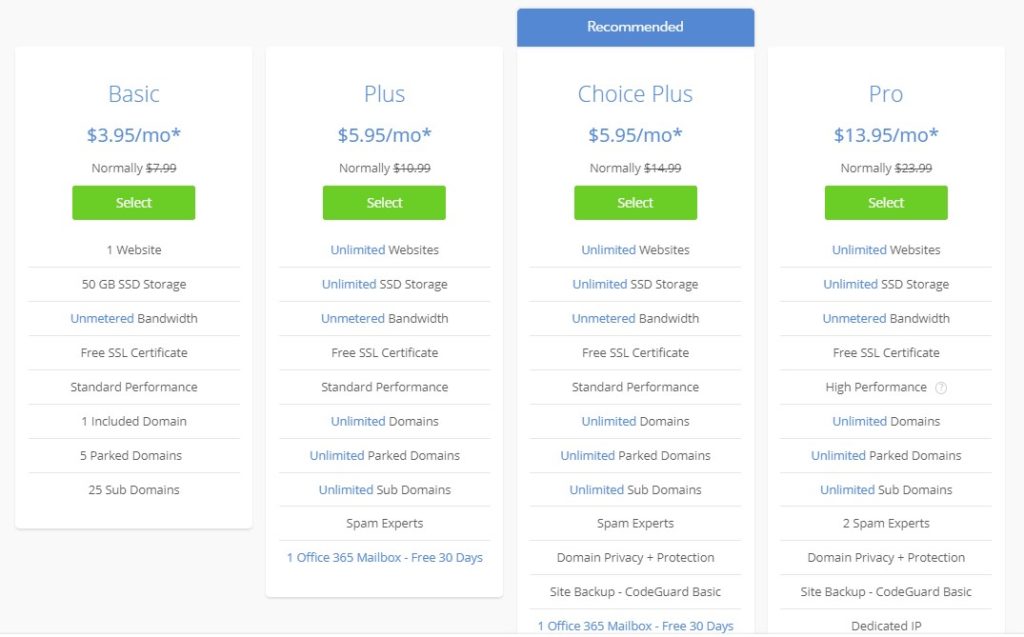
1. Choose Your Website Hosting Plan
Bluehost, like most hosting companies, offers a handful of plan tiers. Pick the one that fits your project’s needs and budget:
- Basic
- Plus
- Choice Plus
- Pro
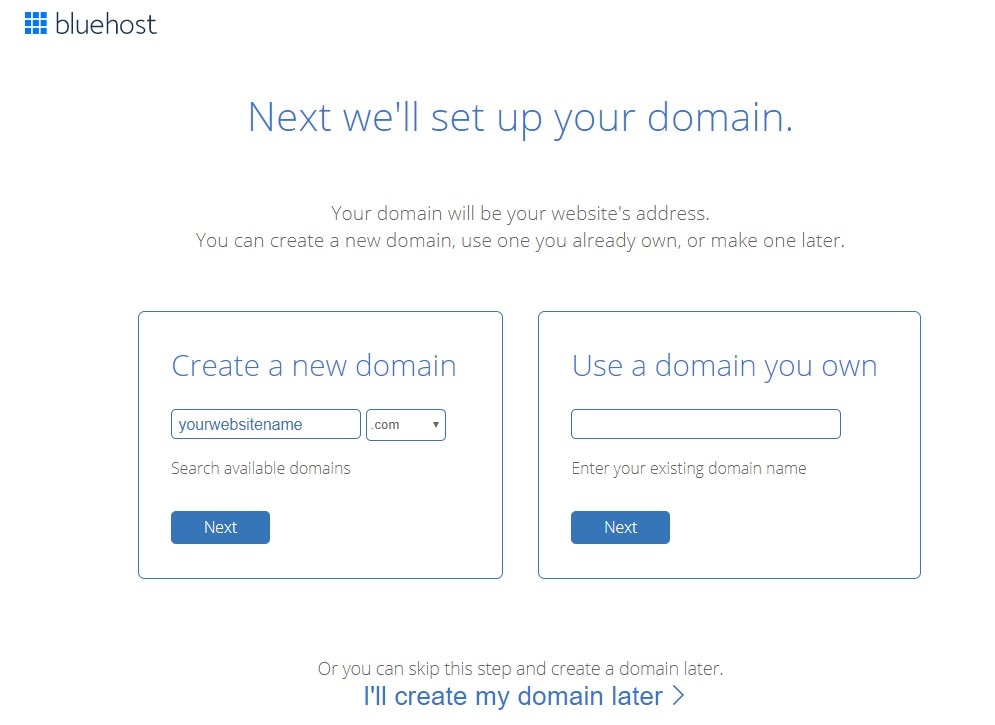
2. Choose a Domain Name
You’ll be given two options at this step:
- Create a new domain — If you’re building a site for a business, the domain name should match the company name, for example
yourbusinessname.com. - Use a domain you already own — If you registered a domain elsewhere, enter it in the appropriate box to connect it instead.
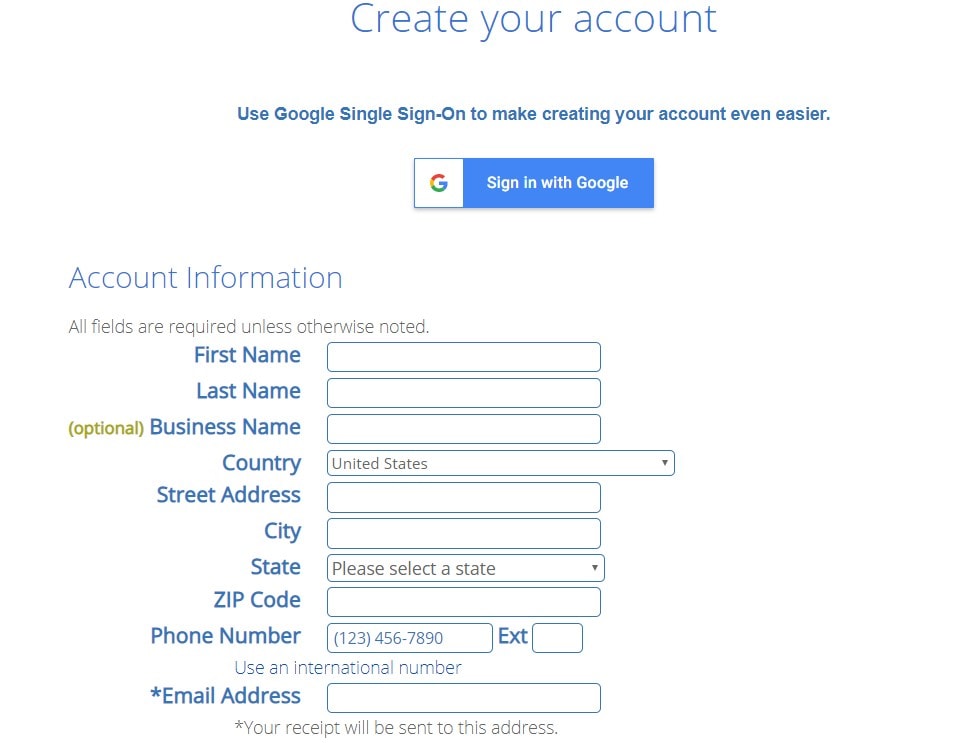
3. Create Your Account
Fill out the account creation form completely, including your first name, last name, country, street address, city, zip code, phone number, and email address. Adding a business name is optional at this step.
4. Check Your Package Information
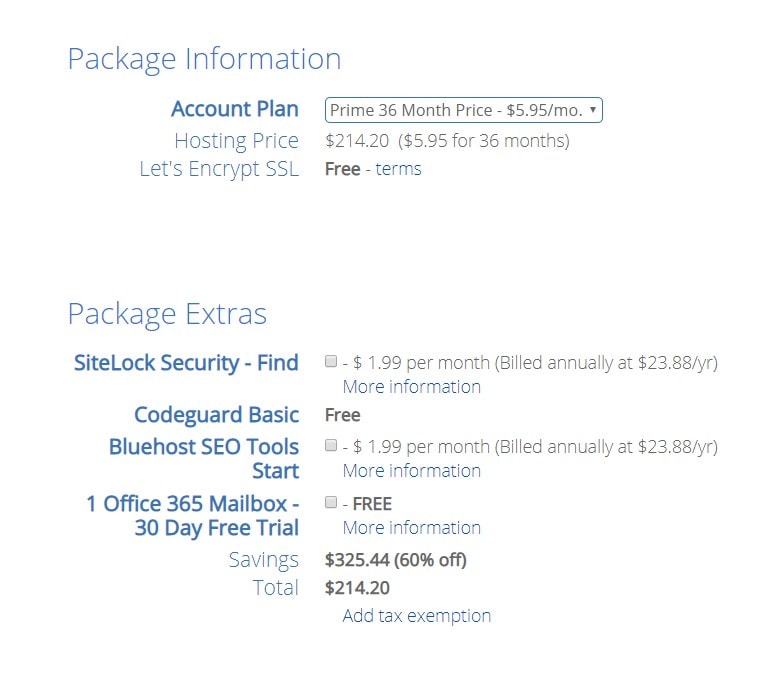
Review your selected plan and any extras Bluehost offers to add to your package. If you don’t want any add-ons, uncheck them before continuing — it’s easy to accidentally pay for features you don’t need here.
5. Fill in Your Payment Information
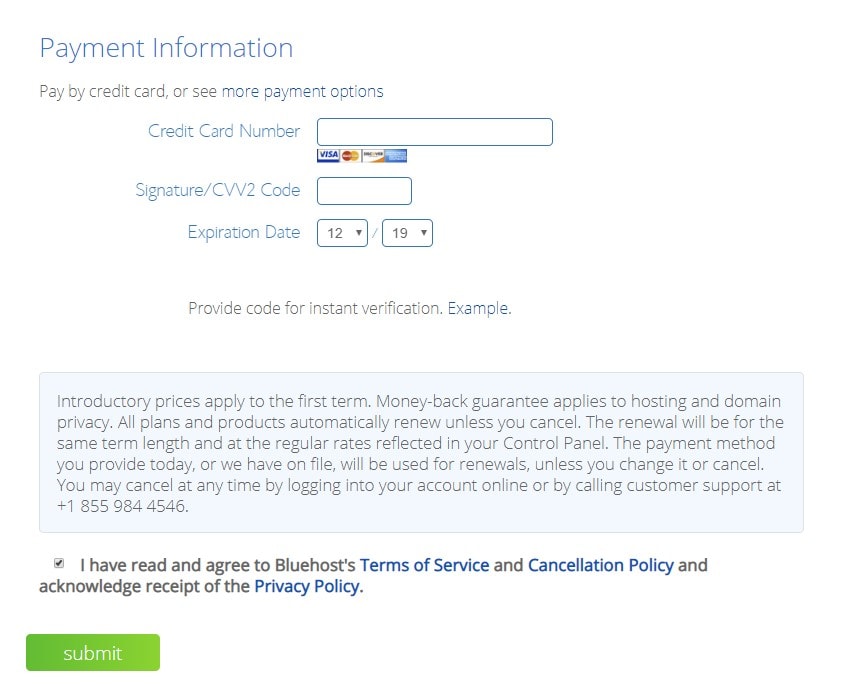
Enter your payment details and submit your order. Once payment goes through, your hosting account and domain registration are both active.
How to Choose the Right Hosting Plan
Beyond just picking a plan tier, a few extra factors are worth weighing before you commit:
- Expected traffic — A brand-new site rarely needs more than shared hosting to start.
- Storage and bandwidth limits — Check these against how media-heavy the site will be.
- Uptime guarantee — Look for providers promising at least 99.9% uptime.
- Customer support quality — As a beginner, responsive support can save you hours of troubleshooting.
- Renewal pricing — Introductory hosting rates often jump significantly at renewal, so check the standard price before signing up.
Conclusion
Getting web hosting and registering a domain name is one of the very first practical skills every beginner web designer needs — and once you’ve done it once, the process becomes second nature. Whether you choose shared, VPS, or dedicated hosting, the fundamentals stay the same: pick a plan that matches your site’s needs, register a domain name that fits the brand, and fill out the signup details carefully.
There are hundreds of hosting providers out there, from small local outfits to major national names like Bluehost, so it’s worth comparing plans and pricing before committing to one. Once your web hosting is active and your domain name is registered, your site officially has a home on the internet.
From here, you’re ready to move on to installing WordPress and start building.