
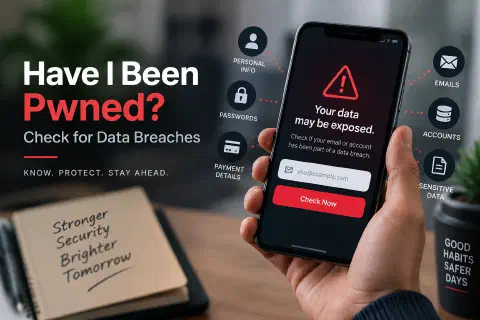
Have I Been Pwned (HIBP) is a free website where you type in your email address and see which known data breaches it appears in, so you know which accounts and passwords to change.
Data breaches happen constantly. A company gets hacked, its user database ends up online, and millions of email addresses, passwords, and other details become available to anyone who wants them. Most people never get a notice from the company, and even when they do, it’s easy to miss.
Have I Been Pwned fills that gap. This guide explains what it is, how to check your email and passwords safely, what the results actually mean, and the steps to take if you find yourself in a breach.
What Is Have I Been Pwned?
Have I Been Pwned is a breach-notification service created in 2013 by Troy Hunt, an Australian security researcher. It collects data from publicly leaked breaches and makes it searchable, without showing anyone the leaked passwords or personal details themselves.
“Pwned” is internet slang for “owned” or “compromised.” If your email is “pwned,” it appeared in at least one breach that HIBP has loaded.
The database covers billions of accounts from more than a thousand breached websites and services. The homepage shows the current totals, and new breaches are added regularly.
HIBP offers four main tools:
| Tool | What it does | Cost |
|---|---|---|
| Email search | Shows which breaches an email address appears in | Free |
| Notify me | Emails you when your address shows up in a future breach | Free |
| Pwned Passwords | Checks whether a password has appeared in any breach | Free |
| Domain search | Lets an organization see every address on its domain that appears in breaches | Free for small domains; paid tiers for larger ones |
How to Check if Your Email Was in a Data Breach
- Go to haveibeenpwned.com. Type the address directly or use a bookmark, so you don’t land on a look-alike site.
- Enter your email address and click Check.
- Read the results:
- Good news, no pwnage found means the address isn’t in any breach HIBP has loaded. It doesn’t prove your data has never leaked, only that it isn’t in this collection.
- Oh no, pwned means the address appears in one or more breaches. HIBP lists each one with the date and the types of data exposed.
- Repeat for every email address you use, including old ones you may have forgotten about.
For each breach, look closely at the compromised data line. A breach that exposed only email addresses is a spam and phishing risk. A breach that exposed passwords, phone numbers, or addresses needs action.
Sign Up for Notifications
Use Notify me to get an email if your address appears in a future breach. You confirm the address once, and HIBP contacts you when a new breach includes it. This is the most useful feature on the site, because you hear about breaches soon after they’re loaded, instead of finding out months later.
Some breaches are flagged as sensitive (for example, adult sites). These don’t appear in a public search. You only see them after you verify you own the address through the notification sign-up.
How to Check if a Password Was Exposed
The Pwned Passwords page checks whether a password has appeared in a breach, no matter whose account it came from. If your password is in the list, attackers already have it in the word lists they use to guess logins, so you should stop using it everywhere.
It’s reasonable to worry about typing a real password into a website. HIBP is built so the full password never leaves your device:
- Your browser turns the password into a SHA-1 hash, a fixed-length fingerprint.
- It sends only the first five characters of that hash to HIBP.
- HIBP returns every hash in its list that starts with those five characters, often several hundred of them.
- Your browser checks the list locally for a full match.
HIBP never sees your password or even its complete hash. This technique is called k-anonymity. Password managers such as 1Password and Bitwarden use the same approach in their breach reports.
Check a Password with Python
The Pwned Passwords API is free and doesn’t need a key, so you can check passwords from a script. This example uses only Python’s standard library:
import hashlib
import getpass
import urllib.request


def pwned_count(password: str) -> int:
    """Return how many times a password appears in Pwned Passwords (0 = not found)."""
    sha1 = hashlib.sha1(password.encode("utf-8")).hexdigest().upper()
    prefix, suffix = sha1[:5], sha1[5:]

    request = urllib.request.Request(
        f"https://api.pwnedpasswords.com/range/{prefix}",
        headers={"User-Agent": "password-check-example", "Add-Padding": "true"},
    )
    with urllib.request.urlopen(request, timeout=10) as response:
        body = response.read().decode("utf-8")

    for line in body.splitlines():
        hash_suffix, count = line.split(":")
        if hash_suffix == suffix:
            return int(count)
    return 0


if __name__ == "__main__":
    password = getpass.getpass("Password to check: ")
    count = pwned_count(password)
    if count:
        print(f"Found {count:,} times in known breaches. Don't use this password.")
    else:
        print("Not found in Pwned Passwords. That's good, but it doesn't guarantee it's strong.")
Save it as check_password.py and run python3 check_password.py. getpass hides the password as you type. Checking password123 returns more than two million matches:
Password to check:
Found 2,266,677 times in known breaches. Don't use this password.
The Add-Padding header tells the API to add fake entries to the response, so someone watching your network traffic can’t guess which prefix you looked up from the response size.
If you installed Python from python.org on a Mac and get a CERTIFICATE_VERIFY_FAILED error, run Install Certificates.command from the Python folder in Applications, then try again.
If you need strong passwords to replace exposed ones, the Python password generator project shows how to build one.
What to Do if You’ve Been Pwned
Finding your email in a breach is common. It doesn’t mean someone is in your accounts right now, but it does mean you should act:
- Change the password for the breached service. If you no longer use the account, delete it.
- Change that password everywhere else you used it. Attackers take leaked email-and-password pairs and try them on other sites, an attack called credential stuffing. Reused passwords are what turn one breach into many.
- Use a password manager. It generates a unique, random password for every site and remembers them for you.
- Turn on two-factor authentication, starting with your email, bank, and social media accounts. See Two-Factor Authentication (2FA) Explained.
- Switch to passkeys where you can. A passkey has no password to leak in the first place. See What Is a Passkey?
- Watch for phishing. Breached email addresses get targeted emails that mention the real service. Be suspicious of any message asking you to “verify your account” after a breach.
- If financial or identity data was exposed, watch your bank statements, and consider a credit freeze with the credit bureaus.
Limitations of Have I Been Pwned
- It only knows about breaches that leaked publicly. A breach that hasn’t surfaced, or that criminals sell privately, won’t show up.
- A clean result isn’t a guarantee. It means “not found in this collection,” not “never exposed.”
- The website searches by email address. Phone number and username searches were dropped from the website in the 2025 redesign.
- It doesn’t remove your data. HIBP tells you where your data leaked. It can’t delete it from the breached service or from the copies circulating online.
Alternatives and Built-In Breach Checks
You may already have breach monitoring without visiting HIBP:
- Password managers such as 1Password, Bitwarden, and the managers built into browsers can flag saved passwords that appear in breaches.
- Google Password Manager has a Password Checkup, and Apple’s Passwords app shows compromised passwords under Security.
- Mozilla Monitor uses breach data from HIBP and adds alerts.
These are convenient, but checking HIBP directly and signing up for its notifications is still worth the minute it takes.
For Businesses and Website Owners
If you run a business, use domain search to see which staff email addresses appear in breaches, and set up alerts for your domain. Those exposed addresses are likely phishing targets.
If you run a website with user accounts, you can check new passwords against Pwned Passwords during sign-up and reject ones that have been breached. Modern password guidance from NIST recommends exactly this kind of check. And if your own site is breached, the cybersecurity fundamentals guide covers the basics of response and prevention.
Conclusion
Have I Been Pwned answers a simple question: has my information shown up in a known data breach? Check every email address you use, sign up for notifications, and test important passwords with Pwned Passwords.
If you’ve been pwned, don’t panic. Change the exposed passwords, stop reusing passwords across sites, turn on two-factor authentication, and move important accounts to passkeys when you can. Those steps make the next breach far less likely to cost you anything.
Frequently Asked Questions
Is Have I Been Pwned safe to use?
Yes. It’s run by a well-known security researcher and is widely used by governments and security teams. Email searches show breach names, not your leaked data, and password checks use k-anonymity so your password never leaves your device.
Is Have I Been Pwned free?
Yes for individuals. Email search, notifications, and Pwned Passwords are free. Paid subscriptions are for organizations that need larger domain searches or API access to the breach data.
What does it mean if I’ve been pwned?
Your email address appeared in at least one known data breach. Look at what data was exposed in each breach and change any affected passwords, especially if you reused them.
Does a clean result mean my data is safe?
No. It means your address isn’t in any breach HIBP has loaded. Other breaches may not be public yet, so keep using unique passwords and 2FA either way.
Should I enter my password on Have I Been Pwned?
The Pwned Passwords check only sends the first five characters of your password’s hash, so the full password never leaves your device. Use it only on the real haveibeenpwned.com site, or use the check built into your password manager.
How do I remove my data from Have I Been Pwned?
You can opt out of public searchability for your email address on the HIBP site. That hides it from searches but doesn’t remove your data from the original breach or from copies circulating online.