
Launching a client’s website is only half the job — if their business doesn’t show up when someone searches for it on Google, all that design work is a lot harder to find. Learning how to get your business on Google Search and Maps is one of the most practical, high-value skills a beginner web designer can add to a launch checklist.
A Google Business Profile is the free tool that controls how a business appears in Google Search and Maps: its hours, location, photos, reviews, and more. Setting one up properly takes only a few minutes, but it can make the difference between a business showing up for local searches or staying invisible.
This guide walks through what a Google Business Profile is, why it matters, and exactly how to set one up and get it verified — so you can confidently add this step whenever you launch a site for a local business client.
What Is a Google Business Profile?
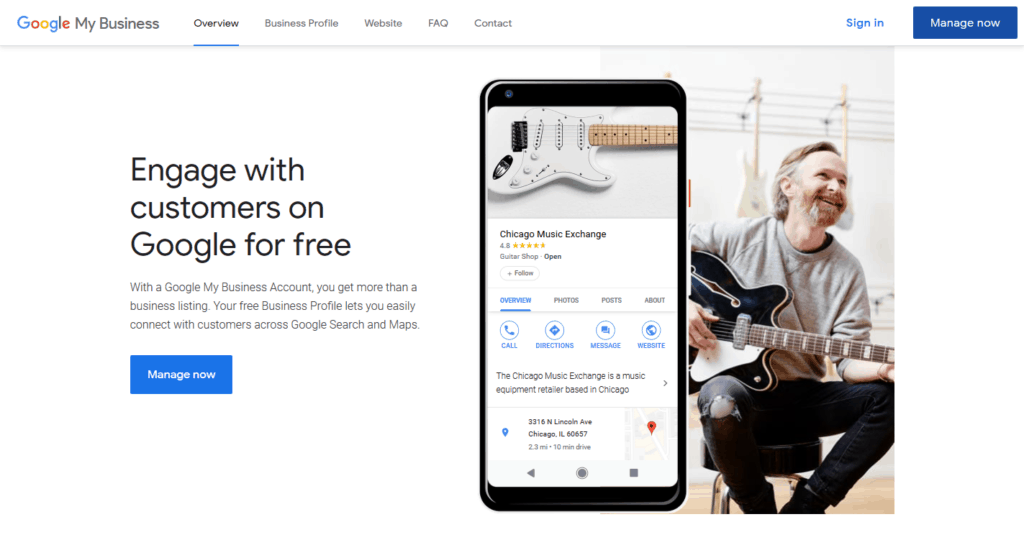
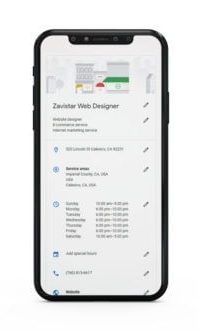
A Google Business Profile lets a business manage the information customers see about them in Google Search and Maps — logo, business hours, customer questions, and reviews — all from one free dashboard. A Google account is required to create and manage the profile.
Why a Google Business Profile Matters
Increased Search Visibility
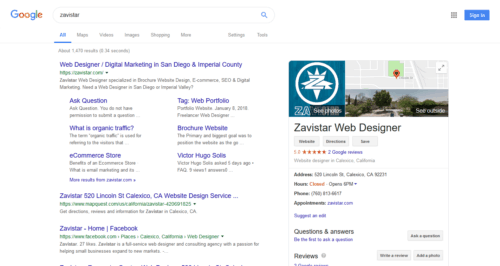
Whenever someone searches for a business by name, Google can surface that business’s free profile directly in the results. It appears alongside the search results and lets potential customers ask questions or leave feedback right there — turning a search into a direct connection with the business, and helping build brand recognition and organic ranking over time.
A Local SEO Advantage
Every Google Business Profile includes the option to add a local address, which is what allows the business to appear in local search results. When someone searches for a service near them, Google returns a directory of nearby businesses — so verifying the correct address and optimizing it with the right SEO keywords should be a priority.
Local search engine optimization, or local SEO, is simply the practice of improving how visible a website or business profile is in those local search results.
Customer Feedback and Reviews
Word-of-mouth recommendations grow a business for free, and a Google Business Profile is where a lot of that word-of-mouth now happens online. Customer reviews don’t just build trust with future customers — they’re also a direct source of insight into what’s working and what needs improvement.
How to Set Up a Google Business Profile
Step 1: Claim Your Local Business Listing
If the business hasn’t already claimed and verified its profile, start at google.com/business.
Step 2: Complete Every Field Google Asks For
A complete, accurate profile is what customers will actually see, so fill it out carefully:
- Add clear, high-quality photos, including the business logo — listings with photos get more driving-direction requests and website clicks.
- Include the complete local address and contact information.
- Add business hours so customers know exactly when to visit or call.
- Make it easy for customers to get in touch with a single click.
- Encourage happy customers to leave a review.
Step 3: Verify the Listing
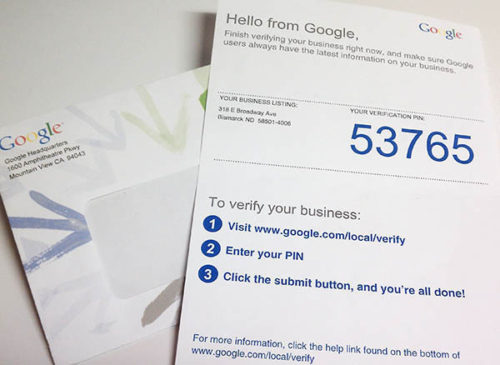
After submitting the profile, Google may offer one or more verification methods. Availability can vary by business and location, so follow whichever method appears in the account.
If verification arrives by postcard:
- Sign in to the Google Business Profile.
- If managing multiple businesses, choose the one at the address where the postcard was received.
- Click Verify location (or the Verify now button) and follow the prompts to finish.
An accurate, complete profile helps customers find a business in local Search and Maps — though it can’t guarantee a specific ranking position.
Tips for Web Designers Helping Clients With Local SEO
Since you’re often the one launching the site, a few small habits make the Google Business Profile and the website work better together:
- Keep NAP consistent. Make sure the business Name, Address, and Phone number match exactly between the website footer/contact page and the Google Business Profile.
- Embed a Google Map on the client’s contact page linked to the same verified address.
- Link the profile from the site, and encourage the client to link back to the site from the profile.
- Remind clients to respond to reviews. Active engagement on the profile signals a well-maintained, trustworthy business.
Conclusion
Knowing how to get your business on Google Search and Maps isn’t just useful for business owners — it’s a practical, repeatable step every beginner web designer can add to a site launch. A Google Business Profile is free, quick to set up, and directly impacts whether local customers can actually find the business you just built a website for.
Claim the listing, fill out every field completely and accurately, verify it, and keep the details consistent with the live website. None of it guarantees a top ranking, but a complete profile puts a business in the best possible position to be found in Google Search and Maps.
Don’t leave this step for later — it’s one of the free resources Google offers that takes the least effort for the biggest payoff. Add it to your standard launch checklist alongside domain setup and hosting, and every client site you ship will have a real shot at being found, not just built.