
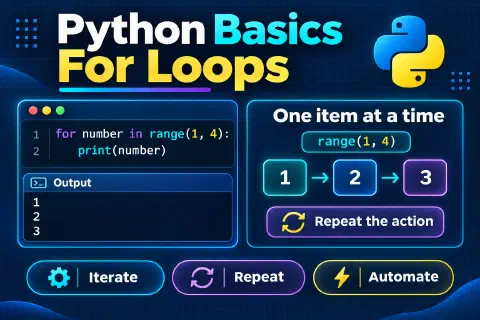
Python Basics series — Part 5. This post continues Part 1: What Every Beginner Should Know, Part 2: Variables and Data Types, Part 3: Lists and Dictionaries, and Part 4: If Statement. Each post in the series takes one topic and covers it in depth. This one covers for loops.
A for loop runs the same block of code once for each item in a collection, such as every price in a list, every letter in a string, or every number from 1 to 10. It’s the loop you’ll use most in Python, because it stops on its own when it runs out of items.
You’ve already seen a few for loops in this series, mostly to print the items in a list. This post takes a closer look: how a for loop actually works, how to repeat something a set number of times with range(), how to get each item’s position with enumerate(), how to walk through two lists side by side with zip(), and the patterns you’ll use every day to total, count, and filter data.
How a For Loop Works
A for loop takes a collection and hands you its items one at a time:
pages = ["Home", "About", "Services", "Contact"]

for page in pages:
    print(f"Building the {page} page")

print("Website done!")
Building the Home page
Building the About page
Building the Services page
Building the Contact page
Website done!
Here’s what happens:
- Python takes the first item,
"Home", and stores it in the loop variablepage. - It runs the indented block below the
forline. - It moves to the next item and repeats, until there are no items left.
- Then the program continues with the first line that isn’t indented.
The colon at the end of the for line and the indentation work exactly like they do with if statements in Part 4. Everything indented under the for line runs once per item; everything after it runs once, when the loop is done.
The loop variable can have any name, but a good name makes the code read like a sentence. The usual habit is a singular name for the item and a plural name for the list: for page in pages, for client in clients, for price in prices.
Looping Over a String
A string is a sequence of characters, so you can loop over it too:
for letter in "Python":
    print(letter)
P
y
t
h
o
n
That’s handy for checking text one character at a time. For example, counting the vowels in a word:
word = "documentation"
vowels = 0

for letter in word:
    if letter in "aeiou":
        vowels += 1

print(f"{word} has {vowels} vowels")
documentation has 6 vowels
Repeating Code a Set Number of Times: range()
Sometimes you don’t have a list; you just want to repeat something a certain number of times. That’s what range() is for:
for number in range(5):
    print(number)
0
1
2
3
4
Notice two things: range(5) starts at 0, and it stops before 5. You get five numbers, but the last one is 4. This “up to, but not including” rule is the same one you saw with list slicing in Part 3.
range() can take up to three numbers: where to start, where to stop, and how much to step by:
print(list(range(1, 6)))       # start at 1, stop before 6
print(list(range(0, 20, 5)))   # count by 5
print(list(range(10, 0, -2)))  # count down by 2
[1, 2, 3, 4, 5]
[0, 5, 10, 15]
[10, 8, 6, 4, 2]
Wrapping range() in list() is just a way to see its numbers. In a for loop you don’t need list(), because the loop asks range() for one number at a time.
A countdown is a classic example:
for seconds in range(3, 0, -1):
    print(f"{seconds}...")
print("Launch!")
3...
2...
1...
Launch!
If you don’t need the number itself, the convention is to name the loop variable _, which tells other programmers “I’m ignoring this”:
for _ in range(3):
    print("Hip hip hooray!")
Getting the Position Too: enumerate()
Often you want each item and its position, for example to number a list. Beginners usually reach for range(len(...)):
steps = ["Plan the site", "Design", "Build", "Launch"]

for i in range(len(steps)):
    print(f"{i + 1}. {steps[i]}")
It works, but Python has a cleaner way. enumerate() gives you the position and the item together:
for number, step in enumerate(steps, start=1):
    print(f"{number}. {step}")
1. Plan the site
2. Design
3. Build
4. Launch
start=1 makes the counting begin at 1 instead of 0, which is what people expect in a numbered list. The two names before in are filled in by unpacking, the same trick you used with tuples in Part 2.
Looping Over Two Lists at Once: zip()
When two lists line up, with the first item in one belonging to the first item in the other, zip() pairs them for you:
services = ["Website", "Logo", "Hosting"]
prices = [1500, 300, 120]

for service, price in zip(services, prices):
    print(f"{service}: ${price}")
Website: $1500
Logo: $300
Hosting: $120
zip() stops at the end of the shorter list, so a missing price is silently skipped. In Python 3.10 and later, you can add strict=True to get an error instead when the lengths don’t match, which is usually what you want:
for service, price in zip(services, prices, strict=True):
    print(service, price)
zip() is also a quick way to build a dictionary from two lists:
price_list = dict(zip(services, prices))
print(price_list)
{'Website': 1500, 'Logo': 300, 'Hosting': 120}
Looping Over a Dictionary
As you saw in Part 3, looping over a dictionary gives you its keys. To get keys and values together, loop over .items():
hours = {"Design": 12, "Development": 30, "Testing": 6}

for task, spent in hours.items():
    print(f"{task:<12} {spent:>3} hours")
Design        12 hours
Development   30 hours
Testing        6 hours
The :<12 and :>3 inside the f-string pad the text so the columns line up: < aligns left, > aligns right, and the number is the width.
Common Loop Patterns
Most for loops you’ll write follow one of a handful of patterns. Learn these and you’ll recognize them everywhere.
Adding Things Up
Start a variable at zero before the loop, and add to it inside the loop:
invoice = [1500, 300, 120, 80]

total = 0
for amount in invoice:
    total += amount

print(f"Total: ${total}")
Total: $2000
For a plain total, the built-in sum(invoice) does the same thing in one step. The loop version is worth knowing because you can add conditions to it, as you’ll see next.
Counting Items That Match
scores = [92, 78, 85, 64, 99, 71]

passed = 0
for score in scores:
    if score >= 75:
        passed += 1

print(f"{passed} of {len(scores)} students passed")
4 of 6 students passed
Filtering into a New List
Start with an empty list and .append() the items you want to keep:
emails = ["[email protected]", "not-an-email", "[email protected]", "maria@"]

valid = []
for email in emails:
    if "@" in email and "." in email.split("@")[-1]:
        valid.append(email)

print(valid)
The same loop can be written as a list comprehension, which you met in Part 3:
valid = [email for email in emails if "@" in email and "." in email.split("@")[-1]]
Use whichever is easier to read. A comprehension is great for a short filter; a regular loop is clearer when there’s more than one step.
Finding the Largest or Smallest
quotes = {"Studio A": 2400, "Studio B": 1850, "Studio C": 2100}

cheapest_name = None
cheapest_price = None

for name, price in quotes.items():
    if cheapest_price is None or price < cheapest_price:
        cheapest_name = name
        cheapest_price = price

print(f"Cheapest: {cheapest_name} at ${cheapest_price}")
Cheapest: Studio B at $1850
Python’s min() and max() can do this too (min(quotes, key=quotes.get)), but writing it out once shows you exactly what they’re doing.
Stopping Early: break and continue
The break and continue statements from the while loops post work in for loops too:
breakends the loop immediately.continueskips the rest of the current item and moves to the next one.
orders = [120, 45, -10, 300, 0, 75]

for amount in orders:
    if amount <= 0:
        print(f"Skipping invalid amount: {amount}")
        continue
    if amount > 250:
        print(f"Large order ({amount}), stopping for review")
        break
    print(f"Processing ${amount}")
Processing $120
Processing $45
Skipping invalid amount: -10
Large order (300), stopping for review
The last two orders never run, because break ended the loop at 300.
The for…else Clause
A for loop can have an else block. It runs only if the loop finished without hitting break. That makes it a neat way to handle “I searched everything and didn’t find it”:
clients = ["Bakery Lopez", "Garcia Law", "Valley Fitness"]
search = "Sunrise Dental"

for client in clients:
    if client == search:
        print(f"Found {search}")
        break
else:
    print(f"{search} is not a client yet")
Sunrise Dental is not a client yet
If this feels odd, you’re not alone; many experienced programmers rarely use it. For a simple membership check, if search in clients: is shorter. for...else earns its place when the loop does more work than a plain comparison.
Nested Loops
You can put a loop inside another loop. The inner loop runs completely for each item of the outer loop:
for row in range(1, 4):
    for column in range(1, 4):
        print(row * column, end="\t")
    print()
1	2	3
2	4	6
3	6	9
end="\t" tells print() to finish with a tab instead of a new line, so each row stays on one line; the empty print() after the inner loop starts the next row.
Nested loops are common with real data, like a list of dictionaries where each dictionary holds its own list:
projects = [
    {"client": "Bakery Lopez", "tasks": ["Menu page", "Photo gallery"]},
    {"client": "Garcia Law", "tasks": ["Contact form"]},
]

for project in projects:
    print(project["client"])
    for task in project["tasks"]:
        print(f"  - {task}")
Bakery Lopez
  - Menu page
  - Photo gallery
Garcia Law
  - Contact form
Be careful with how much work nested loops do. Two loops over 1,000 items each means a million steps. That’s fine for small data, but it’s often a sign that a dictionary lookup would be faster.
Don’t Change a List While Looping Over It
Removing items from the list you’re looping over makes Python skip items, because the positions shift under the loop:
tasks = ["done", "done", "todo", "done"]

for task in tasks:
    if task == "done":
        tasks.remove(task)

print(tasks)
['todo', 'done']
One "done" survived. The safe ways are to loop over a copy (tasks[:] or tasks.copy()) or, usually better, to build a new list:
tasks = ["done", "done", "todo", "done"]
tasks = [task for task in tasks if task != "done"]
print(tasks)
['todo']
Putting It All Together: A Monthly Invoice Report
Here’s a small program that uses most of this post: a list of dictionaries, enumerate(), accumulators, a filter, continue, and aligned output.
HOURLY_RATE = 85

work_log = [
    {"client": "Bakery Lopez", "task": "Menu page", "hours": 6},
    {"client": "Garcia Law", "task": "Contact form", "hours": 3.5},
    {"client": "Bakery Lopez", "task": "Photo gallery", "hours": 4},
    {"client": "Valley Fitness", "task": "Class schedule", "hours": 0},
    {"client": "Garcia Law", "task": "SEO review", "hours": 2},
]

totals = {}
skipped = []

print("Work log")
print("-" * 44)

for number, entry in enumerate(work_log, start=1):
    if entry["hours"] <= 0:
        skipped.append(entry["task"])
        continue

    amount = entry["hours"] * HOURLY_RATE
    client = entry["client"]
    totals[client] = totals.get(client, 0) + amount

    print(f"{number}. {entry['task']:<16} {entry['hours']:>4} h  ${amount:>8,.2f}")

print()
print("Invoices")
print("-" * 44)

grand_total = 0
for client, amount in sorted(totals.items()):
    print(f"{client:<20} ${amount:>10,.2f}")
    grand_total += amount

print(f"{'Total':<20} ${grand_total:>10,.2f}")

if skipped:
    print(f"\nNo hours logged for: {', '.join(skipped)}")
Work log
--------------------------------------------
1. Menu page           6 h  $  510.00
2. Contact form      3.5 h  $  297.50
3. Photo gallery       4 h  $  340.00
5. SEO review          2 h  $  170.00

Invoices
--------------------------------------------
Bakery Lopez         $    850.00
Garcia Law           $    467.50
Total                $  1,317.50

No hours logged for: Class schedule
Notice how each piece does one job:
enumerate(work_log, start=1)numbers the entries, so you can see that entry 4 was skipped.continueskips entries with no hours and remembers them inskipped.totals.get(client, 0) + amountadds up each client’s total, the counting-with-a-dictionary pattern from Part 3.- The second loop sorts the clients by name and keeps a grand total.
:,.2fformats money with a thousands separator and two decimals.
Common Beginner Mistakes
Forgetting the colon or the indentation. for page in pages without a colon is a SyntaxError, and a line that isn’t indented runs once after the loop instead of once per item.
Expecting range() to include the last number. range(1, 10) stops at 9. To include 10, write range(1, 11).
Resetting the accumulator inside the loop. If total = 0 is inside the loop, it’s set back to zero for every item and you only ever get the last value. Put it before the loop.
Using range(len(…)) when you don’t need the index. for i in range(len(pages)): print(pages[i]) works, but for page in pages: is shorter and harder to get wrong. When you do need the position, use enumerate().
Changing a list while looping over it. Removing or inserting items shifts the positions and makes the loop skip items. Loop over a copy or build a new list.
Reusing a variable name as the loop variable. After a loop, the loop variable still holds the last item. If you give it the same name as a variable you still need (for example for total in totals:), you’ve just overwritten that variable.
Using a for loop when you don’t know how many times to repeat. If you’re waiting for something to happen, like a valid answer from the user, that’s a job for a while loop.
Practice Exercises
- Print the numbers from 1 to 20, then only the even numbers from 2 to 20 using the step of
range(). - Given a list of prices, print the total, the average, and how many are over $100, using a single loop.
- Loop over a sentence and count how many times each letter appears, ignoring spaces. Store the counts in a dictionary.
- Given two lists,
namesandemails, usezip()to print each pair, andenumerate()to number them starting at 1. - Print a 10 by 10 multiplication table with nested loops, with the columns lined up.
- Write the classic FizzBuzz: for the numbers 1 to 30, print
Fizzfor multiples of 3,Buzzfor multiples of 5,FizzBuzzfor multiples of both, and the number otherwise. - Given a list of usernames, use a
for...elseloop to print the first one that starts with"admin", orNo admin found.
For a fun project that puts loops to work, try 100 Days of Python: Day 004 Password Generator.
Conclusion
A for loop runs a block of code once for every item in a list, string, dictionary, or range(), and stops by itself when the items run out. That makes it the right choice whenever you know what you’re looping over.
Use range() to repeat something a set number of times, enumerate() when you need positions, and zip() to walk through lists side by side. Learn the everyday patterns (add things up, count matches, filter into a new list, find the largest) and you’ll find them in almost every program you write. Use break and continue to stop or skip early, and never change a list while you’re looping over it.
Next in the Python Basics series: User Input and While Loops, how to ask the user for information and repeat code until a condition changes.
Python Basics series: Part 1: What Every Beginner Should Know · Part 2: Variables and Data Types · Part 3: Lists and Dictionaries · Part 4: If Statement · Part 5: For Loops · Part 6: User Input and While Loops · Part 7: Functions · Part 8: Modules and the Standard Library · Part 9: Classes · Part 10: Files and Exceptions · Part 11: Testing Your Code