
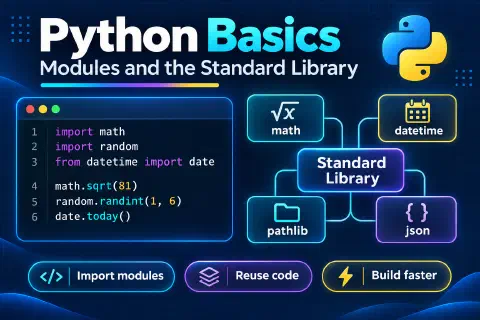
Python Basics series — Part 8. This post continues Part 1: What Every Beginner Should Know, Part 2: Variables and Data Types, Part 3: Lists and Dictionaries, Part 4: If Statement, Part 5: For Loops, Part 6: User Input and While Loops, and Part 7: Functions. Each post in the series takes one topic and covers it in depth. This one covers modules and the standard library.
A module is a Python file full of code you can reuse with import. Python comes with hundreds of them, called the standard library, for math, random numbers, dates, files, and much more, and you can write your own modules or install other people’s with pip.
At the end of Part 7, you moved your quote functions into their own file and imported them. That file was a module. This post goes further: how import really works, the standard library modules you’ll use most often, how to make your own modules behave well when they’re imported, and how to install third-party packages when the standard library isn’t enough.
What Is a Module?
A module is simply a .py file. Its name is the file name without .py, so quote_tools.py is the module quote_tools. When you import it, Python runs the file once and gives you access to everything defined in it: functions, variables, and classes.
Modules let you:
- Reuse code in many programs without copying and pasting it.
- Organize a growing program into files that each do one job.
- Use code other people wrote, from Python’s own standard library to packages like pandas.
Python is often described as having “batteries included” because its standard library already covers so many everyday tasks. Before writing something yourself, it’s worth checking whether a module already does it.
Four Ways to Import
Here are the import styles you’ll see, using the standard library’s math module:
import math
print(math.sqrt(16))

from math import sqrt
print(sqrt(25))

from math import sqrt, pi
print(round(pi, 2))

import math as m
print(m.floor(4.8))
4.0
5.0
3.14
4
import mathkeeps everything inside themathname, so you writemath.sqrt(). It’s the clearest choice, because anyone reading the code can see wheresqrtcame from.from math import sqrtbrings justsqrtinto your program, so you can writesqrt()on its own.import math as mgives the module a shorter nickname (an alias). You’ll see this all the time with popular libraries:import pandas as pd,import numpy as np.
There’s also from math import *, which imports every name at once. Avoid it: you can’t tell where names came from, and it can silently replace your own variables.
Put imports at the top of the file, standard library modules first. Python only loads each module once, however many times it’s imported.
Exploring a Module
To see what a module offers, use dir() and help() in the Python shell:
import math
names = [name for name in dir(math) if not name.startswith("_")]
print("sqrt" in names, "ceil" in names)
True True
help(math.ceil) prints the documentation for a single function. The full reference for every module is in the official Python Standard Library documentation.
math: Beyond Basic Arithmetic
import math

print(math.ceil(4.2))      # round up
print(math.floor(4.8))     # round down
print(math.sqrt(81))       # square root
print(math.pi)
print(math.isclose(0.1 + 0.2, 0.3))
5
4
9.0
3.141592653589793
True
math.ceil() is great for “how many do I need?” questions. If a website has 23 pages and you can build 5 a week, you need math.ceil(23 / 5), which is 5 weeks, not 4.6.
math.isclose() solves a classic surprise: because of how computers store decimals, 0.1 + 0.2 == 0.3 is False. Compare decimals with isclose() instead of ==.
One related gotcha: the built-in round() rounds halves to the nearest even number, so round(2.5) is 2 and round(3.5) is 4. That’s on purpose (it avoids bias when you round many numbers), but it surprises people. For money, round once at the end, or use the decimal module when every cent matters.
random: Picking, Shuffling, and Rolling
The random module makes programs unpredictable, which is exactly what games and simulations need:
import random

print(random.randint(1, 6))                   # a whole number from 1 to 6, both included
print(random.choice(["rock", "paper", "scissors"]))
print(random.random())                        # a float from 0.0 up to 1.0

team = ["Ana", "Luis", "Maria", "Jorge"]
random.shuffle(team)                          # reorders the list in place
print(team)
print(random.sample(team, 2))                 # 2 different people
Your output will be different every time, which is the point. Unlike range(), randint(1, 6) includes both ends.
When you’re testing, it helps to get the same “random” results every run. Call random.seed() with any number first:
import random

random.seed(42)
first = [random.randint(1, 100) for _ in range(3)]
random.seed(42)
second = [random.randint(1, 100) for _ in range(3)]
print(first == second)
True
One important warning: random is not safe for passwords, tokens, or anything security-related, because its numbers can be predicted. Use the secrets module for those:
import secrets
import string

alphabet = string.ascii_letters + string.digits
password = "".join(secrets.choice(alphabet) for _ in range(16))
print(len(password))
16
Several of the 100 Days of Python projects use random, such as the Rock Paper Scissors and Number Guessing Game programs.
datetime: Dates and Times
The datetime module handles calendars for you: how many days until a deadline, what day of the week a date falls on, and how to show a date in a readable format.
from datetime import date, datetime, timedelta

today = date.today()          # the current date on your computer
print(type(today))

kickoff = date(2026, 3, 2)
launch = date(2026, 4, 17)

print(launch - kickoff)                   # a timedelta
print((launch - kickoff).days)
print(kickoff + timedelta(weeks=2))
print(kickoff.strftime("%A, %B %d, %Y"))  # format a date as text
print(kickoff.weekday())                  # Monday is 0, Sunday is 6
<class 'datetime.date'>
46 days, 0:00:00
46
2026-03-16
Monday, March 02, 2026
0
dateis a calendar day;datetimeadds a time of day;timedeltais a length of time you can add or subtract.- Subtracting two dates gives a
timedelta; its.daysis the number of days between them. strftime()(“string format time”) turns a date into text.%Ais the weekday name,%Bthe month name,%dthe day, and%Ythe four-digit year.
To go the other way, from text to a date, use strptime() (“string parse time”):
from datetime import datetime

due = datetime.strptime("2026-05-15 17:30", "%Y-%m-%d %H:%M")
print(due.date(), due.hour, due.minute)
print(due.isoformat())
2026-05-15 17 30
2026-05-15T17:30:00
datetime.now() gives the current date and time. For dates in a file or a database, prefer the ISO format (2026-05-15), which sorts correctly as text and is understood everywhere.
More Standard Library Modules Worth Knowing
You’ve already used a few of these in earlier parts. Here’s a short tour of the modules beginners reach for most:
| Module | What it’s for | Example |
|---|---|---|
statistics | Averages and spread | statistics.mean([3, 5, 7]) |
collections | Specialized containers like Counter | Counter(words).most_common(3) |
string | Ready-made sets of characters | string.ascii_lowercase |
pathlib | Working with file and folder paths | Path("data") / "clients.csv" |
json and csv | Reading and writing data files | json.dumps(data) |
os and sys | Talking to the operating system and Python itself | os.environ.get("HOME") |
time | Pausing and timing code | time.sleep(1) |
secrets | Secure random values for passwords and tokens | secrets.token_hex(16) |
A quick taste of statistics and collections:
import statistics
from collections import Counter

load_times = [1.8, 2.4, 1.2, 3.9, 2.1]
print(statistics.mean(load_times))
print(statistics.median(load_times))

requests = ["home", "blog", "home", "contact", "home", "blog"]
print(Counter(requests).most_common(2))
2.28
2.1
[('home', 3), ('blog', 2)]
Counter does in one line what the counting loop from Part 5 does by hand. You’ll work with pathlib, csv, and json in depth in Part 10: Files and Exceptions.
Writing Your Own Modules
Any .py file you write can be imported by another file in the same folder. Here’s the quote_tools.py module from Part 7, with one addition at the bottom:
# quote_tools.py
HOURLY_RATE = 85

def calculate_quote(pages, rush=False):
    """Return the price for a website with the given number of pages."""
    total = pages * 4 * HOURLY_RATE
    if rush:
        total = total * 1.25
    return total

def format_money(amount):
    """Return an amount formatted as dollars, like $1,700.00."""
    return f"${amount:,.2f}"

if __name__ == "__main__":
    # Runs only when you run this file directly.
    print(format_money(calculate_quote(5)))
And a program that uses it:
# main.py
from quote_tools import calculate_quote, format_money

for pages in (3, 5, 8):
    print(f"{pages} pages: {format_money(calculate_quote(pages))}")
Running python3 main.py prints:
3 pages: $1,020.00
5 pages: $1,700.00
8 pages: $2,720.00
What if name == “main” Means
Every module has a built-in variable called __name__. When you run a file directly (python3 quote_tools.py), Python sets its __name__ to "__main__". When the file is imported, __name__ is the module’s name, "quote_tools".
So the code under if __name__ == "__main__": runs when you run the file yourself, which is handy for a quick demo or test, but not when another program imports it. Without that check, import quote_tools would print $1,700.00 every time. You’ll see this line at the bottom of many Python scripts, and in Part 11: Testing Your Code.
Packages: Folders of Modules
When you have many modules, you can group them in a folder, called a package:
my_project/
├── main.py
└── studio/
    ├── __init__.py
    ├── quotes.py
    └── invoices.py
The __init__.py file (it can be empty) marks the folder as a package. From main.py, you’d import with a dot: from studio.quotes import calculate_quote.
Don’t Name Your Files After Modules
If you save a practice file as random.py or math.py, Python will import your file instead of the real module, and you’ll get confusing errors like AttributeError: module 'random' has no attribute 'randint'. Give your files names that don’t clash, like dice_game.py.
Installing Third-Party Packages with pip
The standard library is big, but the wider Python world is far bigger: the Python Package Index (PyPI) hosts hundreds of thousands of packages. You install them with pip, which comes with Python:
python3 -m pip install requests
Then you import them like any other module:
import requests

response = requests.get("https://api.github.com")
print(response.status_code)
Writing python3 -m pip instead of just pip makes sure the package goes to the same Python you run your code with.
Install packages inside a virtual environment so each project keeps its own versions and doesn’t clash with the others. That’s covered in Level 2 of the course: Python Virtual Environments and uv, a faster package manager. For a tour of popular packages, see Python Libraries for Everything.
Putting It All Together: A Project Deadline Planner
This program combines datetime, math, and statistics with functions and loops from earlier parts. It estimates how many working days a website will take, skips weekends, and prints a schedule:
import math
import statistics
from datetime import date, timedelta

PAGES_PER_DAY = 1.5

def add_working_days(start, days):
    """Return the date that is the given number of weekdays after start."""
    current = start
    while days > 0:
        current += timedelta(days=1)
        if current.weekday() < 5:   # Monday to Friday
            days -= 1
    return current

projects = [
    {"client": "Bakery Lopez", "pages": 6},
    {"client": "Garcia Law", "pages": 10},
    {"client": "Valley Fitness", "pages": 4},
]

start = date(2026, 3, 2)
durations = []

for project in projects:
    days = math.ceil(project["pages"] / PAGES_PER_DAY)
    finish = add_working_days(start, days)
    durations.append(days)
    print(f"{project['client']:<16} {days:>2} days  "
          f"{start:%b %d} -> {finish:%a, %b %d}")
    start = finish

print(f"\nAverage project: {statistics.mean(durations):.1f} working days")
Bakery Lopez      4 days  Mar 02 -> Fri, Mar 06
Garcia Law        7 days  Mar 06 -> Tue, Mar 17
Valley Fitness    3 days  Mar 17 -> Fri, Mar 20

Average project: 4.7 working days
A few details to notice:
math.ceil()rounds 6.67 days up to 7, since you can’t finish part of a day’s work early and call it done.current.weekday() < 5keeps Monday (0) to Friday (4) and skips Saturday and Sunday.- A date works directly in an f-string with a format code:
{start:%b %d}is the same asstart.strftime("%b %d"). - Each project starts on the day the previous one finishes, so
start = finishat the end of the loop.
Common Beginner Mistakes
Naming a file after a module. A file called random.py, math.py, or datetime.py in your folder hides the real module. Rename it, and delete any __pycache__ folder next to it.
Using from module import *. It makes it impossible to tell where a name came from, and can overwrite your own variables. Import the names you need, or the whole module.
Forgetting the module name. After import math, it’s math.sqrt(9), not sqrt(9). After from math import sqrt, it’s the other way around.
Mixing up datetime the module and datetime the class. import datetime gives you the module, so you write datetime.datetime.now(). from datetime import datetime gives you the class, so you write datetime.now(). Pick one style per file.
Using random for passwords. Use secrets for anything security-related.
Installing a package for a different Python. If you get ModuleNotFoundError right after installing, pip probably installed into another Python. Use python3 -m pip install ... and a virtual environment.
Leaving demo code unguarded. Code at the bottom of a module runs every time it’s imported. Put demos and quick checks under if __name__ == "__main__":.
Practice Exercises
- Use
mathto calculate the area of a circle with a radius of 7, rounded to two decimals, and how many boxes you need to ship 47 items if each box holds 6. - Write a dice roller that rolls two six-sided dice 1,000 times with
random.randint()and uses aCounterto show how often each total from 2 to 12 came up. - Ask for a birthday in the format
YYYY-MM-DD, then print the day of the week the person was born and how many days old they are. - Use
secretsandstringto generate a 20-character password that contains letters, digits, and punctuation. - Create a module named
text_tools.pywith two functions,word_count(text)andshout(text). Import them from another file, and add anif __name__ == "__main__":block with a quick demo. - Change the deadline planner so it also skips a list of holidays, such as
date(2026, 3, 31).
To see dates in a real project, read 100 Days of Python: Day 006 Age Calculator.
Conclusion
Modules are how Python programs grow without becoming one giant file. Every .py file is a module you can import, and the standard library gives you hundreds more for free: math for calculations, random for games and simulations, secrets for anything secure, datetime for calendars, and many others for statistics, counting, files, and data.
Import modules at the top of your file, prefer import module or from module import name over import *, guard demo code with if __name__ == "__main__":, and don’t name your files after modules. When the standard library isn’t enough, pip and a virtual environment open up the rest of the Python ecosystem.
Next in the Python Basics series: Classes, how to bundle data and the functions that work on it into your own types.
Python Basics series: Part 1: What Every Beginner Should Know · Part 2: Variables and Data Types · Part 3: Lists and Dictionaries · Part 4: If Statement · Part 5: For Loops · Part 6: User Input and While Loops · Part 7: Functions · Part 8: Modules and the Standard Library · Part 9: Classes · Part 10: Files and Exceptions · Part 11: Testing Your Code