
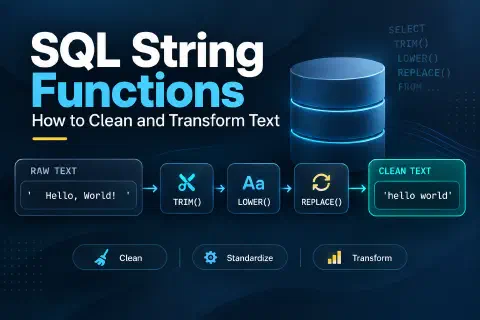
SQL string functions let you clean and reshape text inside a query: change its case, trim spaces, join columns together, pull out part of a value, find and replace characters, and combine values from many rows. The most common ones are LENGTH, UPPER, LOWER, TRIM, CONCAT, SUBSTRING, REPLACE, and STRING_AGG, though the names differ a little between PostgreSQL, MySQL, SQL Server, and SQLite.
Text data is messy. Names arrive in random capitalization, emails have stray spaces, phone numbers use five different formats, and codes pack several pieces of information into one value. String functions let you fix all of that with SQL, without exporting the data to a spreadsheet first.
This guide covers the string functions you’ll use most, with examples on one small, deliberately messy table. Every example was tested on PostgreSQL 17, MySQL 8.4, SQL Server 2022, and SQLite, and the sections point out where the databases behave differently. It’s a companion to SQL Date Functions, which covers the same ground for dates.
Sample Data for This Guide
The examples use a customers table with typical problems: extra spaces, inconsistent capitalization, a missing email, phone numbers in different formats, and a product code (sku) that combines a category, a year, and a sequence number.
CREATE TABLE customers (
    id         INT PRIMARY KEY,
    first_name VARCHAR(50),
    last_name  VARCHAR(50),
    email      VARCHAR(100),
    phone      VARCHAR(20),
    city       VARCHAR(50),
    sku        VARCHAR(20)
);

INSERT INTO customers VALUES
    (1, '  maria ', 'LOPEZ',   '[email protected]',  '(760) 555-0142', 'el centro', 'LAP-2026-0042'),
    (2, 'James',    'carter',  '[email protected]', '760.555.0199',   'Brawley',   'MON-2025-0007'),
    (3, 'Sofia',    'Nguyen',  '[email protected]',         '760-555-0110',   'CALEXICO ', 'KEY-2026-0310'),
    (4, 'daniel',   'Brooks',  NULL,                       '7605550123',     'Imperial',  'MOU-2024-0001'),
    (5, 'José',     'Ramírez', '[email protected]', '760 555 0177',   'El Centro', 'DES-2026-0015');
This works as-is in PostgreSQL, MySQL, and SQLite. In SQL Server, use NVARCHAR instead of VARCHAR and write accented values as N'José' so the accents are stored correctly.
Cheat Sheet: The Same Task in Four Databases
| Task | PostgreSQL | MySQL | SQL Server | SQLite |
|---|---|---|---|---|
| Length (characters) | LENGTH(s) | CHAR_LENGTH(s) | LEN(s) | LENGTH(s) |
| Upper / lower case | UPPER(s), LOWER(s) | same | same | same (ASCII only) |
| Capitalize words | INITCAP(s) | (build it) | (build it) | (build it) |
| Remove spaces | TRIM(s) | TRIM(s) | TRIM(s) (2017+) | TRIM(s) |
| Join text | a || b, CONCAT(a, b) | CONCAT(a, b) | a + b, CONCAT(a, b) | a || b |
| Join with separator | CONCAT_WS(sep, ...) | CONCAT_WS(sep, ...) | CONCAT_WS(sep, ...) (2017+) | concat_ws(sep, ...) (recent versions) |
| Part of a string | SUBSTRING(s, start, len) | SUBSTRING(s, start, len) | SUBSTRING(s, start, len) | SUBSTR(s, start, len) |
| First / last characters | LEFT(s, n), RIGHT(s, n) | same | same | SUBSTR(s, 1, n), SUBSTR(s, -n) |
| Find a character | POSITION('@' IN s) | LOCATE('@', s) | CHARINDEX('@', s) | INSTR(s, '@') |
| Replace text | REPLACE(s, old, new) | same | same | same |
| Replace with a pattern | REGEXP_REPLACE(...) | REGEXP_REPLACE(...) | (not in 2022) | (not built in) |
| Pad with characters | LPAD(s, n, '0') | LPAD(s, n, '0') | RIGHT('000' + s, n) | SUBSTR('000' || s, -n) |
| Combine rows into one string | STRING_AGG(s, ', ') | GROUP_CONCAT(s SEPARATOR ', ') | STRING_AGG(s, ', ') | GROUP_CONCAT(s, ', ') |
The examples below use PostgreSQL first and note where the others differ. Positions in SQL strings start at 1, not 0.
Measuring Length: LENGTH, CHAR_LENGTH, and LEN
SELECT first_name,
       LENGTH(first_name)       AS len,
       LENGTH(TRIM(first_name)) AS trimmed_len
FROM customers
ORDER BY id;
 first_name | len | trimmed_len
------------+-----+-------------
   maria    |   8 |           5
 James      |   5 |           5
 Sofia      |   5 |           5
 daniel     |   6 |           6
 José       |   4 |           4
' maria ' has 8 characters, including two leading spaces and one trailing space. Comparing the length before and after TRIM is a quick way to find values with hidden spaces.
Watch out for two differences:
- MySQL’s
LENGTHcounts bytes, not characters.LENGTH('José')returns 5, becauseétakes two bytes in UTF-8. UseCHAR_LENGTH('José'), which returns 4. - SQL Server’s
LENignores trailing spaces.LEN(' maria ')returns 7, not 8. UseDATALENGTHto count bytes, including trailing spaces (anNVARCHARuses 2 bytes per character).
Changing Case: UPPER, LOWER, and INITCAP
SELECT id,
       INITCAP(TRIM(first_name)) AS first_name,
       INITCAP(last_name)        AS last_name,
       LOWER(TRIM(email))        AS email,
       INITCAP(TRIM(city))       AS city
FROM customers
ORDER BY id;
 id | first_name | last_name |          email           |   city
----+------------+-----------+--------------------------+-----------
  1 | Maria      | Lopez     | [email protected]  | El Centro
  2 | James      | Carter    | [email protected] | Brawley
  3 | Sofia      | Nguyen    | [email protected]         | Calexico
  4 | Daniel     | Brooks    |                          | Imperial
  5 | José       | Ramírez   | [email protected] | El Centro
UPPERandLOWERwork everywhere. Lowercasing emails before comparing or storing them avoids treating[email protected]and[email protected]as different people.INITCAPcapitalizes the first letter of each word. Only PostgreSQL (and Oracle) have it. Elsewhere, build it for single words:
-- MySQL and SQL Server
CONCAT(UPPER(LEFT(TRIM(first_name), 1)), LOWER(SUBSTRING(TRIM(first_name), 2, 50)))

-- SQLite
UPPER(SUBSTR(TRIM(first_name), 1, 1)) || LOWER(SUBSTR(TRIM(first_name), 2))
Both return Maria, James, Sofia, Daniel, José. Names like “McDonald” or “de la Cruz” need manual review in any database.
SQLite gotcha: its built-in UPPER and LOWER only change plain ASCII letters. UPPER('josé') returns JOSé.
Removing Spaces: TRIM, LTRIM, and RTRIM
| Function | What it removes | ' hi ' becomes |
|---|---|---|
TRIM(s) | Spaces at both ends | 'hi' |
LTRIM(s) | Spaces at the start | 'hi ' |
RTRIM(s) | Spaces at the end | ' hi' |
TRIM doesn’t touch spaces in the middle, so 'El Centro' keeps its double space; use REPLACE for that. PostgreSQL and MySQL can also trim other characters: TRIM(BOTH '-' FROM '--abc--') returns abc. SQL Server 2022 supports TRIM('-' FROM s).
Why it matters: hidden spaces break grouping and joins. Grouping by the raw city column gives five different cities:
SELECT TRIM(city) AS city, COUNT(*) FROM customers GROUP BY TRIM(city) ORDER BY 1;
   city    | count
-----------+-------
 Brawley   |     1
 CALEXICO  |     1
 el centro |     1
 El Centro |     1
 Imperial  |     1
Trimming alone isn’t enough, because “el centro” and “El Centro” still differ in case. Clean both:
SELECT INITCAP(TRIM(city)) AS city, COUNT(*) AS customers
FROM customers
GROUP BY INITCAP(TRIM(city))
ORDER BY city;
   city    | customers
-----------+-----------
 Brawley   |         1
 Calexico  |         1
 El Centro |         2
 Imperial  |         1
For more cleanup techniques, see Cleaning Messy Data with Pure SQL.
Joining Text: CONCAT, ||, and CONCAT_WS
PostgreSQL and SQLite join strings with ||, and all four databases have a CONCAT function (in SQLite, only in recent versions):
SELECT id,
       first_name || ' ' || last_name     AS with_pipes,
       CONCAT(first_name, ' ', last_name) AS with_concat
FROM customers
WHERE id IN (2, 3);
 id |  with_pipes  | with_concat
----+--------------+--------------
  2 | James carter | James carter
  3 | Sofia Nguyen | Sofia Nguyen
NULL Changes Everything
The biggest difference between databases is what happens when one of the values is NULL, like customer 4’s email:
SELECT id,
       'Email: ' || email                    AS pipes,
       CONCAT('Email: ', email)              AS concat_fn,
       CONCAT_WS(' | ', last_name, email, phone) AS ws
FROM customers
WHERE id IN (3, 4)
ORDER BY id;
 id |          pipes          |        concat_fn        |                    ws
----+-------------------------+-------------------------+------------------------------------------
  3 | Email: [email protected] | Email: [email protected] | Nguyen | [email protected] | 760-555-0110
  4 |                         | Email:                  | Brooks | 7605550123
| Expression with a NULL value | PostgreSQL | MySQL | SQL Server | SQLite |
|---|---|---|---|---|
'Email: ' || email or 'Email: ' + email | NULL | (not concatenation) | NULL | NULL |
CONCAT('Email: ', email) | Email: | NULL | Email: | Email: |
CONCAT_WS(' | ', ...) | Skips the NULL | Skips the NULL | Skips the NULL | Skips the NULL |
Two things to remember:
- In MySQL,
CONCATreturns NULL if any argument is NULL. Wrap columns inCOALESCE(email, ''), or useCONCAT_WS, which skips NULLs. - In MySQL,
||means logical OR by default, not concatenation.SELECT 'a' || 'b'returns0. UseCONCAT.
CONCAT_WS (“with separator”) is the cleanest way to join several optional fields, like address lines, because it doesn’t leave doubled separators where a value is missing.
Extracting Part of a String: SUBSTRING, LEFT, and RIGHT
The sku column packs three pieces of information into one value: LAP-2026-0042 is category LAP, year 2026, sequence 0042.
SELECT sku,
       LEFT(sku, 3)         AS category,
       SUBSTRING(sku, 5, 4) AS year,
       RIGHT(sku, 4)        AS seq
FROM customers
ORDER BY id;
      sku      | category | year | seq
---------------+----------+------+------
 LAP-2026-0042 | LAP      | 2026 | 0042
 MON-2025-0007 | MON      | 2025 | 0007
 KEY-2026-0310 | KEY      | 2026 | 0310
 MOU-2024-0001 | MOU      | 2024 | 0001
 DES-2026-0015 | DES      | 2026 | 0015
SUBSTRING(sku, 5, 4) means “start at character 5 and take 4 characters.” In SQLite, use SUBSTR(sku, 1, 3) instead of LEFT, and SUBSTR(sku, -4) (a negative start counts from the end) instead of RIGHT.
The results are still text. To use the year as a number, convert it: CAST(SUBSTRING(sku, 5, 4) AS INT).
Finding Text Inside a String: POSITION, LOCATE, CHARINDEX, and INSTR
To get an email’s domain, find the position of @ and take everything after it:
SELECT email,
       POSITION('@' IN email)                       AS at_pos,
       SUBSTRING(email FROM POSITION('@' IN email) + 1) AS domain
FROM customers
WHERE email IS NOT NULL
ORDER BY id;
          email           | at_pos |   domain
--------------------------+--------+-------------
 [email protected]  |     12 | Example.com
 [email protected] |     13 | example.com
 [email protected]         |      6 | nguyen.dev
 [email protected] |     13 | example.com
Each database names the function differently, and the argument order isn’t the same:
| Database | Find @ in email | Domain |
|---|---|---|
| PostgreSQL | POSITION('@' IN email) or STRPOS(email, '@') | SPLIT_PART(email, '@', 2) |
| MySQL | LOCATE('@', email) or INSTR(email, '@') | SUBSTRING_INDEX(email, '@', -1) |
| SQL Server | CHARINDEX('@', email) | SUBSTRING(email, CHARINDEX('@', email) + 1, LEN(email)) |
| SQLite | INSTR(email, '@') | SUBSTR(email, INSTR(email, '@') + 1) |
All of them return 0 when the text isn’t found. PostgreSQL’s SPLIT_PART and MySQL’s SUBSTRING_INDEX are shortcuts for splitting on a delimiter: SPLIT_PART('LAP-2026-0042', '-', 2) returns 2026.
Replacing Text: REPLACE and REGEXP_REPLACE
REPLACE(text, old, new) replaces every occurrence of one string with another. To strip a phone number down to digits, nest several calls:
SELECT phone,
       REPLACE(REPLACE(REPLACE(REPLACE(REPLACE(phone, '(', ''), ')', ''), '-', ''), '.', ''), ' ', '') AS nested,
       REGEXP_REPLACE(phone, '[^0-9]', '', 'g') AS regex
FROM customers
ORDER BY id;
     phone      |   nested   |   regex
----------------+------------+------------
 (760) 555-0142 | 7605550142 | 7605550142
 760.555.0199   | 7605550199 | 7605550199
 760-555-0110   | 7605550110 | 7605550110
 7605550123     | 7605550123 | 7605550123
 760 555 0177   | 7605550177 | 7605550177
The nested REPLACE works in every database. Regular expressions are much shorter: [^0-9] means “any character that isn’t a digit.”
- PostgreSQL:
REGEXP_REPLACE(phone, '[^0-9]', '', 'g'); the'g'flag replaces every match, not just the first. - MySQL 8:
REGEXP_REPLACE(phone, '[^0-9]', '')replaces every match by default. - SQL Server 2022 and SQLite don’t have a built-in regex replace, so use nested
REPLACE.
Padding Text: LPAD and RPAD
Padding adds characters until a string reaches a fixed length, which is useful for codes like C00001:
SELECT id, 'C' || LPAD(id::text, 5, '0') AS customer_code
FROM customers
ORDER BY id;
 id | customer_code
----+---------------
  1 | C00001
  2 | C00002
  3 | C00003
  4 | C00004
  5 | C00005
- MySQL:
CONCAT('C', LPAD(id, 5, '0')). - SQL Server:
'C' + RIGHT('00000' + CAST(id AS VARCHAR(10)), 5), or'C' + FORMAT(id, '00000'). - SQLite:
'C' || SUBSTR('00000' || id, -5).
RPAD works the same way on the right side.
Combining Rows into One String: STRING_AGG and GROUP_CONCAT
Aggregate functions can join values from many rows into one comma-separated list:
SELECT STRING_AGG(TRIM(first_name), ', ' ORDER BY id) AS names
FROM customers;
               names
-----------------------------------
 maria, James, Sofia, daniel, José
| Database | Syntax |
|---|---|
| PostgreSQL | STRING_AGG(name, ', ' ORDER BY id) |
| MySQL | GROUP_CONCAT(name ORDER BY id SEPARATOR ', ') |
| SQL Server | STRING_AGG(name, ', ') WITHIN GROUP (ORDER BY id) |
| SQLite | GROUP_CONCAT(name, ', '); version 3.44 and later also accept ORDER BY inside and the name STRING_AGG |
Combined with GROUP BY, this answers questions like “which customers live in each city?” in one row per city. MySQL’s GROUP_CONCAT cuts results off at 1,024 characters by default (the group_concat_max_len setting).
Pattern Matching and Case Sensitivity: LIKE and ILIKE
LIKE matches patterns: % means any number of characters, and _ means exactly one character. But whether it ignores case depends on the database:
SELECT id, email FROM customers WHERE email LIKE '%@example.com' ORDER BY id;
| Database | Matches [email protected]? | Why |
|---|---|---|
| PostgreSQL | No (returns ids 2 and 5) | LIKE is case-sensitive; use ILIKE to ignore case |
| MySQL | Yes (ids 1, 2, and 5) | The default collation is case-insensitive |
| SQL Server | Yes (ids 1, 2, and 5) | The default collation is case-insensitive |
| SQLite | Yes (ids 1, 2, and 5) | LIKE ignores case for ASCII letters |
The same applies to =. WHERE last_name = 'CARTER' finds James in MySQL and SQL Server, but returns nothing in PostgreSQL and SQLite. To write a query that behaves the same everywhere, normalize both sides: WHERE LOWER(email) LIKE '%@example.com'.
PostgreSQL also supports regular expressions in WHERE with ~ (case-sensitive) and ~* (case-insensitive). MySQL uses REGEXP.
Putting It All Together
Here’s one PostgreSQL query that cleans the whole table:
SELECT
    id,
    INITCAP(TRIM(first_name)) || ' ' || INITCAP(TRIM(last_name)) AS full_name,
    COALESCE(LOWER(TRIM(email)), 'no email')                     AS email,
    REGEXP_REPLACE(phone, '[^0-9]', '', 'g')                      AS phone,
    INITCAP(TRIM(city))                                           AS city,
    LEFT(sku, 3)                                                  AS category
FROM customers
ORDER BY id;
 id |   full_name   |          email           |   phone    |   city    | category
----+---------------+--------------------------+------------+-----------+----------
  1 | Maria Lopez   | [email protected]  | 7605550142 | El Centro | LAP
  2 | James Carter  | [email protected] | 7605550199 | Brawley   | MON
  3 | Sofia Nguyen  | [email protected]         | 7605550110 | Calexico  | KEY
  4 | Daniel Brooks | no email                 | 7605550123 | Imperial  | MOU
  5 | José Ramírez  | [email protected] | 7605550177 | El Centro | DES
To keep the cleaned values, save them with UPDATE or create a cleaned table or view, after testing the SELECT first.
Performance: Functions in WHERE Clauses
Wrapping a column in a function inside WHERE usually stops the database from using a normal index on that column:
-- Can't use a regular index on email
SELECT * FROM customers WHERE LOWER(email) = '[email protected]';
On small tables it doesn’t matter. On large ones, either store the data already cleaned (lowercase emails when they’re saved), or create an expression index that matches the function, which PostgreSQL and SQLite support:
CREATE INDEX idx_customers_email_lower ON customers (LOWER(email));
MySQL 8 supports the same idea, but the expression needs an extra pair of parentheses: ON customers ((LOWER(email))). In SQL Server, index a computed column instead.
Also avoid patterns that start with %, like LIKE '%example.com'; they can’t use a normal index either. See Why Your SQL Query Is Slow for more.
Common Mistakes to Avoid
- Forgetting that NULL spreads.
'Email: ' || NULLis NULL, and MySQL’sCONCATreturns NULL if any argument is NULL. UseCOALESCEorCONCAT_WS. - Using
||in MySQL, where it means OR. - Counting bytes instead of characters with MySQL’s
LENGTH, or missing trailing spaces with SQL Server’sLEN. - Starting positions at 0. SQL strings start at position 1.
- Assuming case sensitivity works the same everywhere. Test
LIKEand=on your database, or normalize withLOWER. - Trimming but not fixing case (or the reverse) before grouping or joining.
- Updating data without testing. Run the cleanup as a
SELECTfirst, and back up the table before anUPDATE. - Building queries by concatenating user input, which opens the door to SQL injection. Use parameters instead.
Frequently Asked Questions
What are string functions in SQL?
They’re built-in functions that work on text values: measuring length, changing case, trimming spaces, joining, extracting, finding, and replacing characters. They’re used to clean data, build labels, and parse codes inside a query.
How do I concatenate strings in SQL?
Use CONCAT(a, b) in PostgreSQL, MySQL, and SQL Server, || in PostgreSQL and SQLite, or + in SQL Server. Use CONCAT_WS(separator, ...) to join several values with a separator and skip NULLs.
What’s the difference between SUBSTRING and SUBSTR?
They do the same thing. Most databases accept SUBSTRING; SQLite uses SUBSTR (Oracle too), and MySQL and PostgreSQL accept both.
How do I remove spaces from a string in SQL?
TRIM removes spaces at both ends, LTRIM and RTRIM remove them from one side, and REPLACE(s, ' ', '') removes every space, including those in the middle.
How do I split a string in SQL?
Use SPLIT_PART(s, '-', 2) in PostgreSQL or SUBSTRING_INDEX in MySQL. In SQL Server and SQLite, combine CHARINDEX/INSTR with SUBSTRING. SQL Server also has STRING_SPLIT to turn a delimited string into rows.
Are SQL string comparisons case-sensitive?
It depends on the database and its collation. PostgreSQL and SQLite compare with = case-sensitively; MySQL and SQL Server are case-insensitive by default. Use LOWER on both sides when you need consistent behavior.
Conclusion
A handful of string functions handle most real-world text problems: TRIM and UPPER/LOWER to standardize values, CONCAT and CONCAT_WS to build labels, SUBSTRING, LEFT, and RIGHT to split codes apart, POSITION-style functions to find characters, REPLACE and REGEXP_REPLACE to strip unwanted characters, and STRING_AGG to combine rows.
Keep the cheat sheet handy, because the names vary between databases, and remember the three things that cause most surprises: NULLs in concatenation, bytes versus characters, and case sensitivity. Test each cleanup with a SELECT before changing any data.