
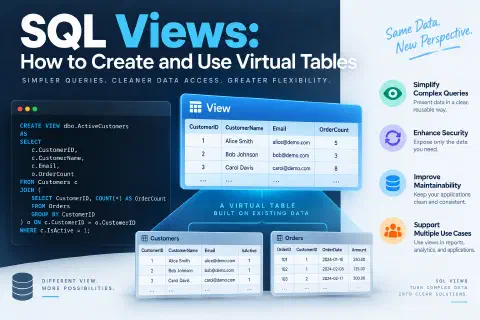
A view is a saved SELECT query that you can use like a table. It doesn’t store data itself; each time you query it, the database runs the underlying query against the current data. Views hide complex joins and calculations behind a simple name, keep business logic in one place, and can limit which rows and columns people see.
If you’ve written the same join between orders, customers, and products three times this week, it’s time for a view. Instead of repeating the logic in every report, you define it once and query it like any other table.
This part of the Learn SQL series uses the series’ sample database: download shop.sql and load it as shown in Part 1. Reloading the file also removes the views created here. Everything was tested on PostgreSQL, MySQL, SQL Server, and SQLite.
Creating a View
Most order reports need the customer’s name, the product, and the order’s value, which means joining three tables. Save that join as a view:
CREATE VIEW order_details AS
SELECT o.order_id,
       o.order_date,
       o.status,
       c.customer_id,
       CONCAT(c.first_name, ' ', c.last_name) AS customer,
       c.state,
       p.name     AS product,
       p.category,
       o.quantity,
       p.price,
       o.quantity * p.price AS order_value
FROM orders o
JOIN customers c ON c.customer_id = o.customer_id
JOIN products  p ON p.product_id  = o.product_id;
Now query it like a table:
SELECT order_id, customer, product, order_value
FROM order_details
WHERE status = 'pending'
ORDER BY order_id;
 order_id |   customer    | product | order_value
----------+---------------+---------+-------------
      108 | Daniel Brooks | Mouse   |      125.00
      112 | Maria Lopez   | Desk    |      320.00
Anyone writing a report no longer needs to remember how the tables join or how order value is calculated. A revenue summary becomes simple:
SELECT category, COUNT(*) AS orders, SUM(order_value) AS revenue
FROM order_details
WHERE status = 'shipped'
GROUP BY category
ORDER BY revenue DESC;
  category   | orders | revenue
-------------+--------+---------
 Electronics |      4 | 3444.00
 Furniture   |      2 | 1040.00
 Accessories |      2 |  165.00
CONCAT works in PostgreSQL, MySQL, SQL Server, and recent SQLite versions; older SQLite versions need c.first_name || ' ' || c.last_name. See SQL String Functions.
Views Always Show Current Data
A view stores the query, not the results. Build a customer summary on top of order_details:
CREATE VIEW customer_summary AS
SELECT customer_id, customer, state,
       COUNT(*)         AS orders,
       SUM(order_value) AS lifetime_value
FROM order_details
WHERE status = 'shipped'
GROUP BY customer_id, customer, state;

SELECT * FROM customer_summary ORDER BY lifetime_value DESC;
 customer_id |   customer   | state | orders | lifetime_value
-------------+--------------+-------+--------+----------------
           8 | Omar Haddad  | CA    |      1 |        1798.00
           1 | Maria Lopez  | CA    |      2 |         989.00
           6 | Kevin Patel  | NV    |      1 |         720.00
           3 | Sofia Nguyen | AZ    |      2 |         569.00
           5 | Ana Martinez | CA    |      1 |         498.00
           2 | James Carter | CA    |      1 |          75.00
Now ship Maria’s pending desk order and query the view again, with no changes to the view:
UPDATE orders SET status = 'shipped' WHERE order_id = 112;

SELECT customer, orders, lifetime_value FROM customer_summary WHERE customer_id = 1;
  customer   | orders | lifetime_value
-------------+--------+----------------
 Maria Lopez |      3 |        1309.00
The view picked up the change immediately. (Set the order back with UPDATE orders SET status = 'pending' WHERE order_id = 112; to keep the sample data as it was.)
Notice that customer_summary is built on another view. Layering views like this keeps each one simple, but don’t stack too many: deep chains get hard to debug and can slow queries down.
Why Use Views?
- Simplify complex queries. Joins and calculations are written once.
- Keep logic consistent. Everyone uses the same definition of “order value” or “active customer.”
- Restrict access. Give a user permission to query a view that leaves out sensitive columns, such as emails, without giving access to the underlying table. See Database Security and Privacy.
- Protect queries from table changes. If a table is restructured, you can update the view so reports that use it keep working.
- Feed BI tools. Power BI, Excel, and other tools can connect to a clean, well-named view instead of raw tables.
A view isn’t automatically faster than the query it contains; the database still runs the full query each time. Performance depends on the underlying tables and their indexes.
Changing and Removing Views
To change a view’s definition:
| Database | Syntax |
|---|---|
| PostgreSQL, MySQL | CREATE OR REPLACE VIEW name AS ... |
| SQL Server | CREATE OR ALTER VIEW name AS ... |
| SQLite | DROP VIEW name; then CREATE VIEW name AS ... |
For example, add the date of each customer’s last order:
CREATE OR REPLACE VIEW customer_summary AS
SELECT customer_id, customer, state,
       COUNT(*)         AS orders,
       SUM(order_value) AS lifetime_value,
       MAX(order_date)  AS last_order
FROM order_details
WHERE status = 'shipped'
GROUP BY customer_id, customer, state;
PostgreSQL only lets CREATE OR REPLACE add columns at the end; to remove or rename columns, drop and recreate the view.
Remove a view with DROP VIEW IF EXISTS customer_summary;. Dropping a view never deletes table data. In PostgreSQL, you can’t drop a view (or a table) that another view depends on; drop the dependent view first.
Updating Data Through a View
Simple views based on one table, without GROUP BY, DISTINCT, or aggregates, are often updatable: changes made through the view go to the underlying table.
CREATE VIEW ca_customers AS
SELECT customer_id, first_name, last_name, city, state
FROM customers
WHERE state = 'CA'
WITH CHECK OPTION;

UPDATE ca_customers SET city = 'Chula Vista' WHERE customer_id = 8;
Omar’s row in customers now shows Chula Vista. WITH CHECK OPTION prevents changes that would make a row fall outside the view, such as moving a California customer to Arizona:
UPDATE ca_customers SET state = 'AZ' WHERE customer_id = 8;
ERROR: new row violates check option for view "ca_customers"
MySQL and SQL Server block it too, with their own messages. SQLite views are read-only: updating one gives cannot modify ca_customers because it is a view, and SQLite doesn’t support WITH CHECK OPTION. Views with joins or aggregates, like order_details, generally can’t be updated directly in any database.
Materialized Views: Saved Results
A regular view recalculates every time. For slow, heavy summaries that don’t need to be up to the second, PostgreSQL offers materialized views, which store the results:
CREATE MATERIALIZED VIEW monthly_sales AS
SELECT DATE_TRUNC('month', order_date)::date AS month,
       COUNT(*)         AS orders,
       SUM(order_value) AS revenue
FROM order_details
WHERE status = 'shipped'
GROUP BY 1;

SELECT * FROM monthly_sales ORDER BY month;
   month    | orders | revenue
------------+--------+---------
 2025-08-01 |      4 | 1384.00
 2025-09-01 |      2 | 1218.00
 2025-10-01 |      2 | 2047.00
Because the results are stored, querying it is fast, but they don’t change when the data does. Ship order 112 again and November still doesn’t appear until you refresh:
REFRESH MATERIALIZED VIEW monthly_sales;
   month    | orders | revenue
------------+--------+---------
 2025-11-01 |      1 |  320.00
Refresh on a schedule (nightly, hourly) for dashboards and reports. When you’re done, remove it with DROP MATERIALIZED VIEW monthly_sales; (you need to do this before reloading shop.sql in PostgreSQL).
Other databases handle this differently: SQL Server has indexed views, which it keeps up to date automatically but with many restrictions, and MySQL and SQLite don’t have materialized views; a summary table updated by a scheduled job does the same job.
| View | Materialized view | |
|---|---|---|
| Stores data | No | Yes |
| Always current | Yes | Only after REFRESH |
| Query speed | Same as the underlying query | Fast, like a table |
| Can have indexes | No | Yes (PostgreSQL) |
Things to Know
ORDER BYinside a view is ignored or not allowed in many databases (SQL Server rejects it unless you useTOP). Sort when you query the view instead.SELECT *in a view can behave unexpectedly when columns are added to the table later. List the columns explicitly.- Names matter. Some teams prefix views (
v_order_detailsorvw_order_details) so they’re easy to tell apart from tables.
Common Mistakes to Avoid
- Assuming a view makes a query faster. Only materialized views store results.
- Stacking many layers of views until no one can tell what a query really does.
- Sorting inside the view.
- Forgetting to refresh materialized views.
- Granting access to the table when you meant to share only the view.
Frequently Asked Questions
What is a view in SQL?
A saved query that you can select from like a table. It doesn’t store data; it runs its query against the current tables whenever it’s used.
What’s the difference between a view and a table?
A table stores data. A view stores only a query; its rows come from the tables it reads.
Can you insert or update data through a view?
Often yes, for simple single-table views without aggregates, in PostgreSQL, MySQL, and SQL Server. SQLite views are read-only.
Do views improve performance?
Regular views don’t; they run the same query. Materialized views (PostgreSQL) and indexed views (SQL Server) can, because they store results.
What’s the difference between a view and a CTE?
A CTE exists only during one query. A view is saved in the database and can be used by any query or user. See SQL CTEs Explained.
Conclusion
Views turn complicated queries into simple, reusable building blocks. Use them to hide joins and calculations, keep definitions consistent across reports, and expose only the data people need. Remember that a regular view re-runs its query every time, so its speed depends on the tables underneath, and reach for a materialized view when a heavy summary doesn’t need to be live.
Next in the Learn SQL series, you’ll store logic inside the database itself with Stored Procedures, Functions, and Triggers.