
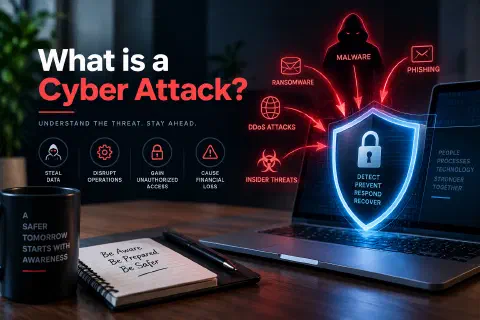
A cyber attack is a deliberate attempt to break into, damage, disrupt, or steal from computers, networks, devices, or data. Common examples include phishing emails, malware, ransomware, password attacks, and attacks on websites.
Cyber attacks aren’t rare events that only hit large corporations. The FBI’s Internet Crime Complaint Center received more than one million complaints in 2025, with reported losses of nearly $21 billion (FBI IC3, 2026). Victims include individuals, small businesses, schools, hospitals, and governments.
This guide explains what a cyber attack is, who carries them out and why, how a typical attack unfolds, the most common types, real-world examples, how to recognize one, and the practical steps that make you a much harder target.
What Is a Cyber Attack?
A cyber attack (also written “cyberattack”) is any intentional action that uses digital means to:
- Steal information, such as passwords, customer records, or money.
- Damage or destroy data, systems, or equipment.
- Disrupt a service, such as taking a website offline or shutting down operations.
- Gain control of a device or network to use it for something else, such as sending spam or attacking other targets.
Security professionals often describe the goal of an attack using the CIA triad: attacks threaten the confidentiality of data (someone sees what they shouldn’t), its integrity (someone changes it), or its availability (people can’t use it). The Cybersecurity Fundamentals guide explains the triad in more detail.
Cyber Attack vs. Cyber Threat vs. Vulnerability
| Term | Meaning | Example |
|---|---|---|
| Vulnerability | A weakness that could be used | A server running software with a known security flaw |
| Threat | Something or someone that could cause harm | A criminal group that scans the internet for that flaw |
| Cyber attack | The actual attempt to cause harm | The group uses the flaw to break into the server |
| Breach / incident | A successful attack, or one that affected systems or data | Customer data is copied off the server |
Who Carries Out Cyber Attacks, and Why?
| Attacker | Main motive | Typical targets |
|---|---|---|
| Cybercriminals | Money | Anyone who can pay: individuals, small businesses, hospitals, schools |
| Nation-state groups | Espionage, sabotage, influence | Governments, defense, critical infrastructure, tech companies |
| Hacktivists | Political or social causes | Organizations they oppose, government websites |
| Insiders | Revenge, money, or carelessness | Their own employer |
| Opportunists | Curiosity, bragging rights, easy targets | Poorly protected sites and devices |
Most attacks are opportunistic and automated. Criminals don’t need to pick you specifically. Their tools scan millions of email addresses, websites, and devices looking for anyone with a weak password, an unpatched system, or an employee who clicks a bad link.
How a Cyber Attack Works
Attacks vary, but many follow a similar sequence:
- Reconnaissance. The attacker gathers information: email addresses, employee names, the software a company uses, exposed servers, and leaked passwords.
- Initial access. They get in, often through a phishing email, a stolen or guessed password, or an unpatched vulnerability.
- Establishing a foothold. They install malware or create accounts so they can come back later.
- Privilege escalation and lateral movement. They work their way from one account or computer to more powerful ones, such as an administrator account or a file server.
- Action on objectives. They do what they came for: copy data, encrypt files for ransom, redirect payments, or sabotage systems.
- Covering tracks. They may delete logs or hide their tools to stay undetected.
Defenders can stop an attack at any of these stages. That’s why layered security works: even if one control fails, the next one can still catch the attacker.
Common Types of Cyber Attacks
Phishing and Social Engineering
Phishing uses fake emails, text messages (smishing), phone calls (vishing), or websites that impersonate a trusted organization to trick people into revealing passwords, paying money, or opening malicious files. It was the most reported type of crime to the FBI’s IC3 in 2025, with 191,561 complaints (FBI IC3, 2026).
Social engineering is the broader category: manipulating people rather than breaking technology. Attackers create urgency (“your account will be closed”), authority (“this is the CEO”), or fear to get people to act without thinking.
Malware
Malware is malicious software, including viruses, worms, trojans, spyware, and keyloggers. It can arrive through email attachments, fake downloads, infected USB drives, or compromised websites. See What Is Malware? for the main types.
Ransomware
Ransomware encrypts an organization’s files and demands payment for the key. Many groups also steal data first and threaten to publish it (double extortion). Ransomware is especially damaging to smaller organizations: Verizon’s 2025 Data Breach Investigations Report found ransomware in 88% of breaches at small and medium-sized businesses, compared with 39% at larger organizations (Verizon, 2025). See What Is Ransomware?
Business Email Compromise (BEC)
In a BEC attack, criminals impersonate an executive, vendor, or partner, often from a hijacked or look-alike email account, and ask for a wire transfer, a change in bank details, or gift cards. There’s often no malware at all. BEC accounted for more than $3 billion in reported losses in 2025 (FBI IC3, 2026).
Password Attacks
- Credential stuffing: trying email-and-password pairs leaked from one site on many others. It works because people reuse passwords. You can check whether your accounts have appeared in breaches with Have I Been Pwned.
- Brute force and password spraying: guessing passwords, either many guesses against one account or a few common passwords against many accounts.
- MFA fatigue: flooding someone with login approval requests until they accept one.
Denial-of-Service (DoS) and DDoS Attacks
A DoS attack overwhelms a website or service with traffic or requests so legitimate users can’t reach it. A distributed denial-of-service (DDoS) attack uses thousands of compromised devices, often a botnet of hijacked computers and IoT devices, to send that traffic at once. Services like Cloudflare absorb and filter it.
Man-in-the-Middle (MitM) Attacks
The attacker secretly sits between two parties, such as you and a website, to read or change what they send. Fake public Wi-Fi hotspots are a classic example. Encrypted connections (HTTPS) and VPNs make these attacks much harder.
Web Application Attacks
Websites and web apps are exposed to the entire internet. Common attacks include:
- SQL injection: sending database commands through form fields or URLs. See SQL Injection: How It Works and How to Prevent It.
- Cross-site scripting (XSS): planting malicious JavaScript that runs in other visitors’ browsers.
- Exploiting outdated plugins and software, a common way WordPress sites are hacked. See WordPress Under Attack.
Zero-Day Exploits
A zero-day attack uses a flaw the vendor hasn’t fixed yet, so there’s no patch to install. These are rarer but serious. See What Is a Zero-Day Vulnerability?
Supply Chain Attacks
Instead of attacking a target directly, attackers compromise a supplier, software vendor, or service provider the target trusts, then use that trusted connection to get in. Verizon’s 2025 report found that breaches involving a third party doubled, from 15% to 30% (Verizon, 2025).
Insider Threats
Not every attack comes from outside. A current or former employee, contractor, or partner may misuse their access on purpose, or cause a breach by accident, for example by sending sensitive files to the wrong person.
Real-World Examples of Cyber Attacks
Colonial Pipeline (2021)
In May 2021, the DarkSide ransomware group attacked Colonial Pipeline, which carries a large share of the fuel used on the U.S. East Coast. Attackers got in using the password for an old VPN account that didn’t have multi-factor authentication. The company shut down the pipeline for several days as a precaution, which led to fuel shortages and panic buying, and paid a ransom of about $4.4 million, part of which the U.S. Department of Justice later recovered.
Lesson: One forgotten account with a reused or leaked password and no MFA can stop critical infrastructure.
SolarWinds (Disclosed 2020)
Attackers broke into SolarWinds, a company that makes IT management software, and hid malicious code in updates for its Orion product. Around 18,000 customers installed the tampered updates, and the attackers then selected a smaller number of high-value targets, including U.S. government agencies, for further intrusion. The U.S. government attributed the campaign to Russia’s foreign intelligence service.
Lesson: Software from a trusted vendor can become the attack path. That’s the essence of a supply chain attack.
MOVEit Transfer (2023)
In 2023, the Cl0p criminal group exploited a zero-day SQL injection flaw (CVE-2023-34362) in MOVEit Transfer, a file-transfer product used by many organizations. They stole data from thousands of organizations, including government agencies, universities, banks, and airlines, then demanded payment to keep it private.
Lesson: Internet-facing business software is a prime target, and one flaw can affect many organizations at once.
Change Healthcare (2024)
In February 2024, attackers used stolen credentials to log in to a Change Healthcare remote-access portal that didn’t have multi-factor authentication, then deployed ransomware days later. Change Healthcare processes a large share of U.S. medical claims, so pharmacies and providers across the country had trouble processing payments and prescriptions for weeks. The company later reported to federal regulators that about 192.7 million people were affected, the largest healthcare data breach on record in the U.S.
Lesson: MFA on every remote-access system isn’t optional, and one company’s breach can disrupt a whole industry.
Signs You May Be Under Attack
For individuals:
- Password reset emails or login alerts you didn’t request
- Friends receiving strange messages “from you”
- Unknown purchases, transfers, or new payees in your accounts
- New browser extensions, pop-ups, or a sudden slowdown on your device
- Being locked out of an account with a password you know is correct
For organizations:
- Unusual logins (odd hours, new countries, impossible travel)
- New administrator accounts or permission changes nobody approved
- Large or unusual data transfers leaving the network
- Antivirus or EDR alerts, or security tools suddenly turned off
- Files being renamed or encrypted, or ransom notes appearing
- Customers or partners reporting suspicious emails from your domain
What to Do If You’re Attacked
Individuals:
- Disconnect the affected device from the internet if you suspect malware.
- From a different, clean device, change the password for the affected account and any account that uses the same password.
- Turn on two-factor authentication.
- Contact your bank immediately if money or card details are involved.
- Report it: in the U.S., to the FBI at ic3.gov, and identity theft at IdentityTheft.gov.
Organizations:
- Contain: isolate affected systems, disable compromised accounts, and block malicious connections. Don’t wipe systems yet; you’ll need the evidence.
- Activate your incident response plan and assign who leads, who communicates, and who makes decisions.
- Bring in help: your IT provider, an incident response firm, your cyber insurer, and legal counsel.
- Investigate how the attacker got in, what they accessed, and whether they’re still there.
- Recover from clean, tested backups, after closing the entry point. See What Is Disaster Recovery?
- Notify law enforcement, affected customers, and regulators as required by law.
- Learn from it: fix the root cause and update your plan.
How to Prevent Cyber Attacks
No single tool stops every attack, but a handful of basics prevent most of them:
- Turn on multi-factor authentication for email, banking, remote access, and admin accounts. Prefer an authenticator app or passkeys over text messages. See Two-Factor Authentication Explained.
- Use a password manager and a unique password for every account.
- Keep software updated: operating systems, browsers, apps, plugins, routers, and firewalls. Turn on automatic updates.
- Back up important data regularly, keep one copy offline or immutable, and test restores.
- Train people to recognize phishing, and make it easy to report suspicious messages without blame.
- Verify payment requests through a known phone number, never by replying to the email that asked.
- Limit access: give people only the permissions they need, and remove accounts when someone leaves.
- Protect devices with endpoint protection, disk encryption, and screen locks, including employees’ personal devices that access work data. See Employee Device Security.
- Secure your website with HTTPS, a web application firewall, updated plugins, and strong admin credentials.
- Have a plan: write down who to call and what to do before an incident happens.
Frequently Asked Questions
What is a cyber attack in simple terms?
It’s when someone uses computers or the internet to break into, damage, disrupt, or steal from another person’s devices, accounts, or data.
What is the most common type of cyber attack?
Phishing. It was the most reported cybercrime to the FBI’s IC3 in 2025, and it’s often the first step in other attacks, such as ransomware and account takeovers.
Who is most at risk of a cyber attack?
Everyone with an email address or internet-connected device. Small businesses are frequent targets because they often have valuable data and payments but fewer security resources.
What’s the difference between a cyber attack and a data breach?
A cyber attack is the attempt. A data breach is the result when an attack (or an accident) exposes data to someone who shouldn’t have it. Not every attack succeeds, and not every breach comes from an attack.
Can antivirus stop all cyber attacks?
No. Antivirus helps against known malware, but it can’t stop phishing that steals a password, a fraudulent wire transfer request, or a brand-new threat. It’s one layer among several.
What should I do first if I think I’ve been hacked?
Disconnect the affected device, change your passwords from a clean device, turn on two-factor authentication, and contact your bank if money is involved. Businesses should activate their incident response plan.
Should you pay a ransomware demand?
Law enforcement agencies, including the FBI, advise against paying, because payment doesn’t guarantee you’ll get your data back and it funds further attacks. Organizations facing that decision should involve law enforcement, legal counsel, and incident response specialists.
Conclusion
A cyber attack is any deliberate attempt to steal, damage, disrupt, or take control of digital systems and data. Most attacks aren’t sophisticated: they rely on phishing emails, reused passwords, missing MFA, and software that hasn’t been updated.
That’s good news, because it means the basics work. Turn on MFA, use a password manager, keep everything updated, back up your data, and teach the people around you to pause before they click. Those habits stop the majority of attacks and limit the damage from the rest.
Sources
- Federal Bureau of Investigation, Internet Crime Complaint Center. (2026). 2025 Internet Crime Report.
- Verizon. (2025). 2025 Data Breach Investigations Report.
- CISA. Cybersecurity Best Practices.