
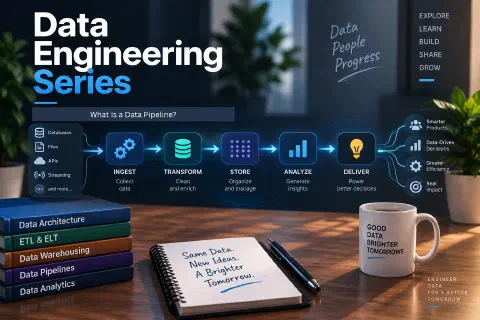
Data Engineering series, Part 4 of 5. Previous: Data Engineering Tools
- What Is a Data Engineer?
- What Does a Data Engineer Do?
- Data Engineering Tools: SQL, Python, and Essential Technologies
- What Is a Data Pipeline? (you are here)
- How to Become a Data Engineer
A data pipeline is an automated series of steps that moves data from one or more sources to a destination, cleaning and preparing it along the way. It is the core product of data engineering: the system that turns scattered, messy data into something people can trust and use.
This guide explains the parts of a pipeline, how ETL, ELT, and data integration fit in, the difference between batch and streaming, and walks you through a small pipeline you can run yourself.
What Is a Data Pipeline?
Imagine an online store. Orders land in the store’s database, support tickets live in another tool, and advertising numbers sit in a third. A manager wants one report that shows revenue, support load, and ad spend together.
A data pipeline does the work automatically: it collects the data from each system, cleans and combines it, stores it in one place, and delivers it to the report. It runs on a schedule (or continuously), so the report is always up to date without anyone copying and pasting files.
The Stages of a Pipeline
| Stage | What happens | Example |
|---|---|---|
| 1. Sources | Where the data originates | A store database, CSV files, an API, application logs |
| 2. Ingestion | Data is pulled or received from the source | A nightly job downloads new orders |
| 3. Processing and transformation | Data is cleaned, validated, and reshaped | Remove duplicates, fix dates, calculate totals |
| 4. Storage | Data is saved where it can be queried | A database or data warehouse |
| 5. Serving | Data is delivered to users and tools | Dashboards, reports, and machine learning models |
| 6. Orchestration and monitoring | The whole flow is scheduled and watched | Run at 2:00 AM, alert if it fails |
Every pipeline you will meet is a variation of these six stages. For the broader picture, see What Is a Data Engineer?.
Data Integration: Bringing Sources Together
Data integration is the practice of combining data from different sources into a unified, consistent view. A pipeline is one of the main ways to do it. Common ways to get data in:
- Database extracts: query a source database for the rows you need.
- File drops: another system delivers CSV or JSON files to a folder or cloud storage.
- API calls: request data from a web service on a schedule.
- Change data capture (CDC): read a database’s change log so you only move what changed.
- Event streams: receive events continuously as they happen.
- Web scraping: collect data from web pages when no API exists. See web scraping with Python.
Two choices come up in almost every integration:
- Full load vs. incremental load. A full load copies everything every time. An incremental load copies only new or changed records, which is faster and cheaper as data grows.
- Matching records across systems. You need a shared key, such as a customer ID or email, so data from different sources can be joined. See SQL joins.
ETL and ELT in One Minute
The two classic patterns differ in where the transformation happens:
- ETL (extract, transform, load): clean and reshape the data before loading it into the destination.
- ELT (extract, load, transform): load the raw data first and transform it inside the destination, usually a warehouse, using SQL.
Neither is better in every case. ELT is popular with modern cloud warehouses, while ETL is useful when you must clean or remove sensitive data before it is stored. The full comparison, with hands-on examples of both, is in ETL vs ELT: A Beginner’s Guide. The pipeline below follows the ETL order.
Batch vs. Streaming
| Batch | Streaming | |
|---|---|---|
| How it works | Processes data in chunks on a schedule | Processes data continuously as it arrives |
| Latency | Minutes to hours (or a day) | Seconds or less |
| Complexity | Simpler | More complex |
| Good for | Daily reports, nightly loads, historical analysis | Fraud alerts, live dashboards, sensor data |
| Example tools | Python scripts, cron, Airflow | Apache Kafka and stream processors |
Most pipelines you build first will be batch. Add streaming when the business truly needs data within seconds.
Build a Mini Pipeline
Let’s build a small, complete pipeline that follows the stages above. It extracts orders from a messy CSV file, cleans them, checks their quality, and loads them into a database. I ran this code, and the output is shown.
Start with a file named orders.csv. It has problems on purpose: extra spaces, inconsistent capitalization, a duplicate row, a missing amount, and an invalid date:
order_id,customer,order_date,amount
1, Ana ,2026-01-05,$35.50
2,LUIS,2026-01-06,$120.00
2,LUIS,2026-01-06,$120.00
3,Marta,2026-01-07,
4,Pedro,not a date,$19.99
Save this as pipeline.py in the same folder:
import logging
import sqlite3

import pandas as pd

logging.basicConfig(level=logging.INFO, format="%(levelname)s %(message)s")
log = logging.getLogger("pipeline")


def extract(path):
    df = pd.read_csv(path)
    log.info("extracted %d rows", len(df))
    return df


def transform(df):
    clean = (
        df.drop_duplicates()
        .assign(
            customer=lambda d: d["customer"].str.strip().str.title(),
            order_date=lambda d: pd.to_datetime(d["order_date"], errors="coerce"),
            amount=lambda d: pd.to_numeric(
                d["amount"].str.replace("$", "", regex=False), errors="coerce"
            ),
        )
        .dropna(subset=["order_date", "amount"])
    )
    log.info("kept %d clean rows, rejected %d", len(clean), len(df) - len(clean))
    return clean


def validate(df):
    if not df["order_id"].is_unique:
        raise ValueError("duplicate order_id values")
    if (df["amount"] < 0).any():
        raise ValueError("negative amounts found")
    return df


def load(df, db_path):
    rows = [
        (int(r.order_id), r.customer, r.order_date.strftime("%Y-%m-%d"), float(r.amount))
        for r in df.itertuples()
    ]
    with sqlite3.connect(db_path) as con:
        con.execute(
            "CREATE TABLE IF NOT EXISTS orders ("
            "order_id INTEGER PRIMARY KEY, customer TEXT, order_date TEXT, amount REAL)"
        )
        # INSERT OR REPLACE makes the load idempotent: running it twice gives the same table
        con.executemany("INSERT OR REPLACE INTO orders VALUES (?, ?, ?, ?)", rows)
    log.info("loaded %d rows into %s", len(rows), db_path)


def run(csv_path="orders.csv", db_path="warehouse.db"):
    load(validate(transform(extract(csv_path))), db_path)


if __name__ == "__main__":
    run()
Install the one dependency (pip install pandas) and run it:
python pipeline.py
Output:
INFO extracted 5 rows
INFO kept 2 clean rows, rejected 3
INFO loaded 2 rows into warehouse.db
The three rejected rows are the duplicate, the order with the missing amount, and the order with the invalid date. The two good rows, Ana’s and Luis’s orders, are now in the orders table. Check them with SQL:
SELECT * FROM orders ORDER BY order_id;
1 | Ana  | 2026-01-05 |  35.5
2 | Luis | 2026-01-06 | 120.0
What this small pipeline teaches
- Each stage is a separate function. Extract, transform, validate, and load are easy to test and change on their own.
- Logging tells you what happened. When a pipeline runs at 2 AM, the log is how you find out what it did.
- Validation stops bad data. If a check fails, the pipeline raises an error instead of loading wrong numbers.
- The load is idempotent. Run the script twice and the table still contains the same two rows, not four.
INSERT OR REPLACEon a primary key makes re-runs safe, which matters when a job is retried after a failure. - Rejected data is counted, not hidden. In a real pipeline you would also save rejected rows somewhere for review.
To schedule it, a cron line like the one in Part 2 would run it every night. For more cleaning techniques, see data cleaning with Pandas and cleaning data with SQL. To connect to other databases, use SQLAlchemy.
What Makes a Good Pipeline
- Idempotent: running it again gives the same result, so retries are safe.
- Observable: logs, metrics, and alerts show what is happening.
- Tested: data quality checks catch problems before users see them.
- Incremental: processes only new or changed data when volumes grow.
- Documented: others can understand what it does and why.
- Secure: protects credentials and sensitive data. Keep secrets out of code, as in the .env file, and follow database security practices.
- Recoverable: you can re-run or backfill history after a failure, and restore from backups. See disaster recovery.
Common Pipeline Problems
| Problem | What happens | Typical fix |
|---|---|---|
| Schema drift | A source adds, renames, or removes a column and the job breaks | Validate the schema at ingestion and alert on changes |
| Late or missing data | A file doesn’t arrive on time | Wait and retry, and alert if it is still missing |
| Duplicates | A retry loads the same data twice | Make loads idempotent with unique keys |
| Silent partial failure | Only part of the data loads, with no error | Compare row counts and run quality checks |
| Slow jobs | Queries or loads take longer as data grows | Load incrementally and tune queries. See slow SQL queries |
| Bad data | Wrong values reach reports | Add validation rules and stop the pipeline when they fail |
Where Pipelines Run
Pipelines can run on your own computer, a server, or in the cloud. Many teams package them in containers with Docker so they behave the same everywhere, and run them on a VPS or a cloud platform. Part 3 listed the orchestration tools that schedule them.
Frequently Asked Questions
What is a data pipeline in simple terms?
A data pipeline is an automated process that collects data from sources, cleans and transforms it, and delivers it to a destination such as a database or dashboard.
What is the difference between a data pipeline and ETL?
ETL is a type of data pipeline: one that extracts, transforms, and then loads data. “Data pipeline” is the broader term and includes ELT, streaming, and other patterns.
What is the difference between ETL and ELT?
In ETL you transform data before loading it. In ELT you load raw data first and transform it inside the destination. Read the full comparison in ETL vs ELT.
What is data integration?
Data integration is combining data from multiple sources into one consistent view. Data pipelines are a common way to do it.
What is the difference between batch and streaming pipelines?
Batch pipelines process data in scheduled chunks, while streaming pipelines process it continuously as it arrives. Batch is simpler and enough for many needs.
What tools are used to build data pipelines?
Python and SQL for the logic, a scheduler or orchestrator like cron or Airflow to run them, and a database or warehouse to store the results. See Data Engineering Tools.
How do I make a pipeline reliable?
Add logging, validation, retries, and alerts, make loads idempotent, and test with realistic messy data.
Conclusion
A data pipeline moves data from sources to a destination through ingestion, transformation, storage, and serving, with scheduling and monitoring around it. ETL and ELT are two ways to arrange the transformation step, and data integration is the goal of bringing many sources together. The mini pipeline above shows the habits that matter most: separate stages, logging, validation, and safe re-runs.
In the final part, you will see how to turn this knowledge into a career: How to Become a Data Engineer: Skills, Certifications, and Career Path.
Next in the Data Engineering series: How to Become a Data Engineer