
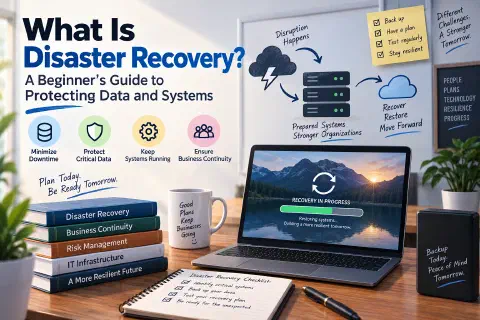
What would happen if your business lost its computers tomorrow? Not for an hour, but for days. Maybe a fire, a flood, a ransomware attack, or a server that simply stops working. Could you get your website, your email, your customer records, and your files back? How long would it take, and how much would you lose?
Those questions are what disaster recovery is about. It’s not just something for big companies with data centers. Every business that depends on technology, which today is almost every business, needs a plan for getting back on its feet when something goes wrong.
In this guide, you’ll learn what disaster recovery is, how it differs from backups, the two numbers every plan is built on (RTO and RPO), the main recovery strategies, and how to create and test a simple plan of your own.
What Is Disaster Recovery?
Disaster recovery (DR) is the set of plans, tools, and procedures an organization uses to restore its data and IT systems after a disruptive event, and get back to normal operations as quickly as possible.
A “disaster” in IT doesn’t have to be a hurricane. It’s anything that knocks out your systems or destroys your data:
| Type of disaster | Examples |
|---|---|
| Natural disasters | Fires, floods, earthquakes, hurricanes, extended power outages |
| Cyberattacks | Ransomware, hacked accounts, deleted or stolen data |
| Hardware failures | A failed hard drive, a dead server, a damaged network device |
| Software failures | A bad update, a corrupted database, a failed migration |
| Human error | Deleting the wrong folder, overwriting a file, misconfiguring a server |
| Provider outages | Your hosting company, cloud provider, or internet service going down |
In practice, the most common “disasters” are the ordinary ones: someone deletes something important, a drive fails, or an update breaks a system. A good recovery plan handles both the everyday problems and the rare catastrophes.
Disaster Recovery vs. Backups vs. Business Continuity
These terms are related but not the same:
- Backups are copies of your data. They’re an essential ingredient of disaster recovery, but on their own they’re just files sitting somewhere.
- Disaster recovery is the plan and process for using those backups (and other tools) to restore your systems: what to restore first, where to restore it, who does it, and how long it should take.
- Business continuity (BC) is the bigger picture: how the whole business keeps operating during and after a disruption, including people, offices, suppliers, and communication with customers, not just IT.
- High availability (HA) is about preventing downtime in the first place, by running redundant systems so that if one fails, another takes over automatically.
A simple way to remember it: a backup is a spare tire. Disaster recovery is knowing how to change it, having the jack in the trunk, and having practiced doing it. Business continuity is how you still get to your meeting on time.
RTO and RPO: The Two Numbers That Shape Every Plan
Every disaster recovery plan starts with two questions for each system:
Recovery Time Objective (RTO)
How long can this system be down? The RTO is the maximum acceptable time between the disaster and the system being back up and running. An RTO of 4 hours means you need a way to restore that system within 4 hours.
Recovery Point Objective (RPO)
How much data can we afford to lose? The RPO is measured backward in time from the disaster. An RPO of 24 hours means losing up to a day of data is acceptable, so a daily backup is enough. An RPO of 15 minutes means you need backups or copies at least every 15 minutes.
   Last good backup              Disaster                 System restored
          │                          │                            │
──────────●──────────────────────────✖────────────────────────────●──────▶ time
          │◀────────── RPO ─────────▶│◀────────── RTO ───────────▶│
             data you could lose        time your system is down
Examples
Different systems deserve different targets. Here’s what that might look like for a small online business:
| System | RPO (data loss) | RTO (downtime) | What it means |
|---|---|---|---|
| Online store and orders | 15 minutes | 1 hour | Frequent database backups and a quick way to restore the site |
| 1 hour | 4 hours | A cloud email service with its own redundancy usually covers this | |
| Accounting files | 24 hours | 1 day | A nightly backup is enough |
| Company blog | 1 week | 2 days | Weekly backups; it can wait while more urgent systems come back |
The lower the RTO and RPO, the more the protection costs. That’s why you set them per system, based on how much downtime and data loss would actually hurt the business.
Disaster Recovery Strategies
Once you know your targets, you choose how to meet them. Here are the main options, from cheapest and slowest to most expensive and fastest:
| Strategy | How it works | Typical recovery time | Cost |
|---|---|---|---|
| Backup and restore | Regular backups stored safely; after a disaster, you rebuild systems and restore the data | Hours to days | Low |
| Cold site | A backup location with space and power, but equipment must be set up after a disaster | Days to weeks | Low to medium |
| Warm site | A backup location with equipment ready and data updated regularly, but not running full time | Hours | Medium |
| Hot site | A complete copy of your systems, running and kept in sync, ready to take over almost immediately | Minutes | High |
| Disaster Recovery as a Service (DRaaS) | A cloud provider keeps copies of your servers and can start them in the cloud when needed | Minutes to hours | Pay as you go |
For most small businesses, good backups plus a written restore plan is the right place to start. Cloud services have also made faster recovery much more affordable: instead of paying for a second building, you can keep copies of your servers in the cloud and only pay for the computing power when you need it. (See What Is Cloud Computing? and What Is a Virtual Machine?.)
Backups: The Foundation of Disaster Recovery
No recovery plan works without good backups. Follow these rules:
The 3-2-1 Rule
- Keep 3 copies of your data (the original plus two backups),
- on 2 different types of storage,
- with 1 copy offsite (in another building or in the cloud).
Many organizations now follow 3-2-1-1-0: the same rule, plus 1 copy that’s offline or immutable (it can’t be changed or deleted, even by an administrator, for a set period), and 0 errors when you test restoring your backups.
Why Offline and Immutable Copies Matter
Ransomware attackers deliberately look for backups and delete or encrypt them before they launch their attack. A backup drive that’s always connected, or a cloud folder that syncs every change, can be wiped out along with everything else. An offline or immutable copy is your insurance policy. (See What Is Ransomware?.)
Sync Is Not a Backup
Services like Dropbox, Google Drive, and OneDrive sync your files: if you delete or overwrite a file, or ransomware encrypts it, the change is copied everywhere. Their version history and recycle bin can help for a limited time, but a true backup keeps separate, older copies that a mistake can’t instantly overwrite.
Back Up More Than Files
Don’t forget the things that are easy to overlook:
- Databases, such as your website’s or store’s database. (See Database Security and Privacy.)
- Website files and configuration, including your hosting settings and DNS records.
- Email and cloud apps, like Microsoft 365 or Google Workspace. Providers keep their services running, but protecting your data from deletion is often your responsibility.
- Passwords and keys, stored securely, so you can actually log in to restore everything.
- Documentation: how your systems are set up, so you (or someone else) can rebuild them.
Lessons From Real Disasters
The OVHcloud Data Center Fire (2021)
In March 2021, a fire destroyed one of OVHcloud’s data centers in Strasbourg, France, and damaged another. OVHcloud is one of Europe’s largest hosting providers, and the fire took millions of websites offline. Customers whose backups were stored in the same data center as their servers lost both at once, and some lost their data permanently. Customers who kept copies in another location could rebuild elsewhere. That’s the “1 offsite copy” of the 3-2-1 rule in action.
The CrowdStrike Outage (2024)
In July 2024, a faulty software update from cybersecurity company CrowdStrike caused about 8.5 million Windows computers around the world to crash and fail to restart. Airlines grounded flights, hospitals postponed procedures, and banks and broadcasters went offline. There was no attack and no natural disaster, just a bad update. Organizations with clear recovery procedures, documented recovery keys, and staff who knew what to do recovered much faster than those figuring it out on the spot.
The lesson from both: disasters are often not the ones you expect, so plan for losing access to a system for any reason, not just for one specific scenario.
How to Create a Disaster Recovery Plan
A disaster recovery plan doesn’t need to be a 100-page binder. For a small organization, a clear document of a few pages is far better than nothing. Here’s how to build one:
- List your systems and data. Websites, databases, email, file storage, accounting software, cloud apps, computers, and network equipment. Note where each one lives and who manages it.
- Rank them by importance. What does the business need first to keep operating? Usually it’s things like customer-facing systems, email, and financial records.
- Set an RTO and RPO for each one. Be realistic, and get agreement from the business owners or managers, not just IT.
- Choose a backup and recovery method for each one that meets those targets.
- Write step-by-step recovery instructions. Assume the person following them is stressed, tired, and maybe not the one who set the system up.
- Assign roles and contacts. Who declares a disaster? Who restores what? Who talks to customers? Include phone numbers for your team, your hosting company, your internet provider, your IT support, and your cyber insurance provider.
- Plan how you’ll communicate. If email is down, how will your team reach each other? Keep a contact list that doesn’t depend on your own systems.
- Store the plan where you can reach it during a disaster. A plan that lives only on the server that just failed is no help. Keep a printed copy and a copy in a separate, secure location.
Test Your Plan
An untested backup is a hope, not a plan. Many organizations only discover that their backups are incomplete, corrupted, or impossible to restore when they need them most. Test regularly:
| Type of test | What it involves | How often |
|---|---|---|
| Restore test | Restore a few files, a database, or a whole system from backup, and check that it works | Monthly |
| Tabletop exercise | The team talks through a scenario (“Ransomware just encrypted the file server. What do we do?”) using the written plan | Once or twice a year |
| Walkthrough | People actually follow the recovery steps, without affecting live systems | Yearly |
| Full failover test | Switch real operations to the backup systems | Yearly, for critical systems |
After each test, update the plan with what you learned: missing steps, outdated contacts, or targets you couldn’t meet.
Monitoring: Know When Something Breaks
The faster you know about a problem, the faster you can recover. Set up alerts so you hear about an outage from your monitoring, not from your customers. (See Uptime Kuma: The Ultimate Guide to Self-Hosted Website Monitoring.) Also check that your backup jobs are succeeding: many backup tools can send an email when a job fails, but only if someone reads it.
A Simple Disaster Recovery Checklist for Small Businesses
- ✅ List your critical systems and data.
- ✅ Decide how much downtime (RTO) and data loss (RPO) each one can tolerate.
- ✅ Back up everything important using the 3-2-1 rule, with one offline or immutable copy.
- ✅ Include databases, websites, email, cloud apps, and configurations.
- ✅ Protect backup accounts with strong passwords and two-factor authentication. (See What Is Two-Factor Authentication?.)
- ✅ Write step-by-step recovery instructions and a contact list.
- ✅ Keep a copy of the plan outside your own systems.
- ✅ Test restoring from backup regularly.
- ✅ Set up monitoring and backup failure alerts.
- ✅ Review and update the plan at least once a year, and after any major change.
Conclusion
Disaster recovery is about answering one question before you need to: “If we lost this system today, how would we get it back?” Backups are the foundation, but a real plan also knows what to restore first, how long it can take (RTO), how much data you can afford to lose (RPO), who does what, and how you’ve tested that it works.
You don’t have to build everything at once. Start by listing your most important systems, make sure each one has a backup with a copy stored somewhere else, and try restoring one of them this week. Every step makes your business more resilient, so when something does go wrong, it’s an inconvenience instead of a catastrophe. (For a broader foundation, see Cybersecurity Fundamentals: A Complete Beginner’s Guide.)