
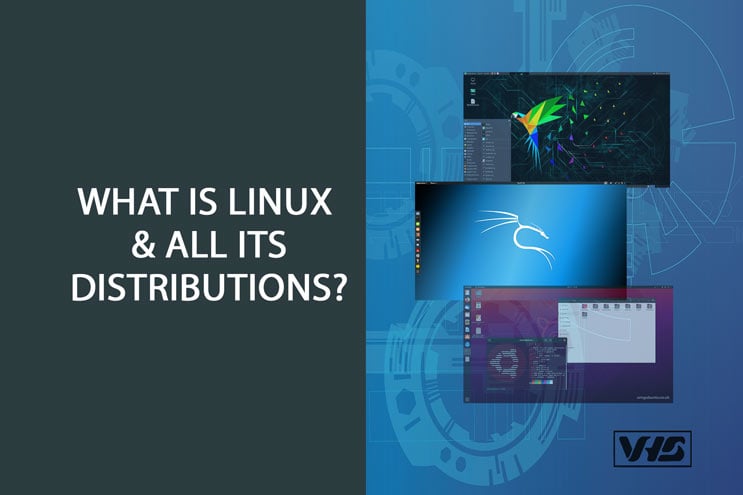
A Linux distribution, often shortened to “distro,” is a complete operating system built around the Linux kernel and bundled with a package management system for installing and updating software. Every distribution shares the same core: the Linux kernel as its foundation, GNU shell utilities for terminal access, and typically a desktop environment — though the specific combination and design choices around that core are exactly what makes one distribution feel different from another.
Linus Torvalds released the first version of the Linux kernel on October 5, 1991. In the decades since, Linux has grown into one of the most widely used operating systems in the world, and its surrounding community has become one of the most influential forces behind the broader free and open-source software movement.
This guide covers why Linux is worth considering as an alternative to Windows or macOS, a rundown of the most popular distributions available today, who Linux is actually a good fit for, and how to try it risk-free before committing to anything.
What Are the Advantages of Using Linux?
There are several good reasons people choose Linux over proprietary systems like Windows and macOS, and its open-source foundation is largely responsible for most of them.
Open-Source Software
The primary benefit of Linux is that it’s free — not just free to download, but free from the licensing costs and restrictions that come with proprietary operating systems. Because the source code is open, anyone with the skill and interest can contribute to the project, which is a big part of why Linux has improved so steadily over the decades without a single company controlling its direction.
System Security
Linux’s security model helps reduce common vulnerabilities: most actions that could affect the system require explicit administrator authorization, which makes it significantly harder for malware to install itself without a user’s knowledge. The fact that Linux’s source code is publicly available is also a security advantage rather than a liability — it means security researchers around the world can inspect the code directly, find vulnerabilities, and contribute fixes, rather than waiting on a single vendor’s internal security team to catch every issue.
Compatible With Older Computers
Many Linux distributions are specifically designed with older or lower-resource hardware in mind, which lets a computer that’s too slow for a modern version of Windows or macOS run a fast, fully modern operating system instead. This makes Linux a genuinely practical way to extend the useful life of older hardware rather than replacing it.
Popular Linux Distributions
Hundreds of community-maintained Linux distributions exist worldwide, each with its own philosophy and target audience. Debian is among the longest-standing free and open-source distributions, with a software repository spanning tens of thousands of packages, and it forms the base for several other well-known distributions, including Ubuntu, Linux Mint, and Kali.
Some distributions, like Ubuntu, Fedora, and openSUSE, are backed commercially — a company builds a sustainable business around the distribution through paid support, hosting, or enterprise services, which in turn funds ongoing development for the free, community version.
Popular Linux distros to explore:
- Ubuntu — the most beginner-friendly, widely documented distribution, a solid default starting point
- Linux Mint — designed to feel immediately familiar to Windows users
- Pop!_OS — developed by System76, popular for development work and gaming
- Fedora — closely tracks the latest Linux technologies, backed by Red Hat
- Debian — extremely stable, the foundation many other distros are built on
- MX Linux — lightweight and beginner-friendly, good for older hardware
- Manjaro — user-friendly access to Arch Linux’s software repository
- Arch Linux — highly customizable, aimed at experienced users who want full control
- Elementary OS — a polished, macOS-inspired design philosophy
- Solus — built independently from scratch, rather than based on another distribution
So, Who Can Use Linux?
Linux distributions suit any user willing to learn a new operating system’s conventions — you don’t need to already be a programmer or system administrator to get started with a beginner-friendly distro like Ubuntu or Linux Mint. Businesses commonly run Linux on servers without any graphical interface at all, which reduces hardware requirements and improves performance for workloads that never need a visual desktop in the first place.
Because of its open-source license, anyone is free to use, modify, or even create an entirely custom distribution built from the existing source code — which is exactly how so many of the distributions listed above came into existence in the first place.
Trying Linux Before You Commit
You don’t have to replace your current operating system to try Linux. Virtualization software like VirtualBox lets you run a Linux distribution inside a virtual machine on your existing computer, fully isolated from your main system. Downloading a distribution’s installer image and getting a basic virtual machine running typically takes about 15 minutes — a low-risk way to explore a new distro before deciding whether to install it directly on real hardware.
The Bottom Line
Linux is a powerful, secure, and highly customizable operating system, backed by one of the largest and most active open-source communities in software. Many companies now depend commercially on Linux and its distributions, which creates a genuine, ongoing incentive for the wider ecosystem’s continued development and security.
Whether you’re looking to breathe new life into an old laptop, run a more secure home server, or simply explore an alternative to Windows or macOS, there’s very likely a Linux distribution built with exactly your use case in mind. Start with a beginner-friendly option like Ubuntu or Linux Mint in a virtual machine, and let your own experience — rather than any single guide — tell you which distro fits the way you actually want to use your computer.