
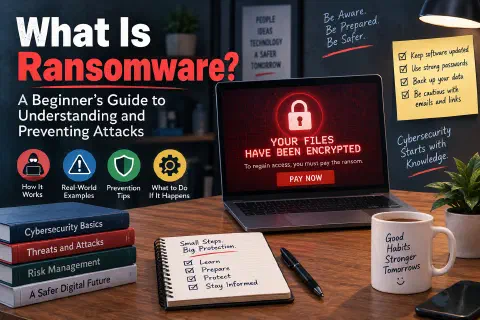
Imagine turning on your computer and finding a red message on the screen: “Your files have been encrypted. To regain access, you must pay the ransom.” Your documents, photos, and business records are still there, but you can’t open any of them. A countdown timer says the price goes up if you wait.
That’s ransomware, and it’s one of the most damaging cyber threats today. It hits individuals, small businesses, hospitals, schools, and city governments, and a single attack can shut an organization down for days or weeks.
The good news is that most ransomware attacks rely on the same few weaknesses, and you can close most of them with simple habits. In this guide, you’ll learn what ransomware is, how attacks happen, what real attacks have looked like, how to protect yourself, and what to do if it ever happens to you.
What Is Ransomware?
Ransomware is a type of malicious software (malware) that locks you out of your files or systems and demands payment, the “ransom,” to give access back. (For the bigger family of threats it belongs to, see What Is Malware? Common Types and How to Stay Safe.)
Most ransomware works by encrypting your files: scrambling them with a secret key so they can’t be opened. Only the attackers have the key to unscramble them, and they promise to hand it over once you pay, usually in a cryptocurrency like Bitcoin, which is harder to trace.
There are a few main kinds:
| Type | What it does |
|---|---|
| Crypto ransomware | Encrypts your files. This is the most common and most damaging kind. |
| Locker ransomware | Locks you out of your whole device, but doesn’t necessarily encrypt the files. |
| Double extortion | Steals a copy of your data before encrypting it, then threatens to publish it if you don’t pay. Backups alone don’t solve this one. |
| Scareware | Fake warnings (“Your computer is infected! Pay to fix it!”) that try to frighten you into paying, often with little or no real damage. |
Ransomware as a Service
Ransomware has become a business. In Ransomware as a Service (RaaS), one criminal group develops the ransomware and “rents” it to others, called affiliates, who carry out the attacks and split the payments with the developers. This means attackers don’t need much technical skill anymore, which is one reason attacks are so common.
How a Ransomware Attack Works
Most attacks follow the same basic steps:
- Getting in. The attackers find a way into a computer or network (more on this below).
- Spreading. Once inside, they often wait quietly, sometimes for days or weeks, while they explore the network, steal passwords, and reach as many computers and servers as possible.
- Stealing data. In double extortion attacks, they copy sensitive files to their own servers.
- Destroying backups. They look for backups connected to the network and delete or encrypt them, so you can’t simply restore your files.
- Encrypting. They launch the ransomware, often at night or on a weekend when fewer people are watching, and encrypt everything they can reach.
- Demanding payment. A ransom note appears with payment instructions and a deadline.
How Ransomware Gets In
Attackers usually don’t break in with movie-style hacking. They use a few common doors:
- Phishing emails. A message that looks like it’s from a bank, a delivery company, or a coworker, with a malicious attachment or a link to a fake login page. This is one of the most common entry points.
- Stolen or weak passwords. Passwords reused from another breached website, or guessed because they’re simple, especially on remote access tools, VPNs, and email accounts without two-factor authentication.
- Unpatched software. Known security holes in operating systems, VPNs, firewalls, and websites that haven’t been updated. (See WordPress Under Attack for how this plays out on websites.)
- Exposed remote access. Remote Desktop (RDP) and similar services left open to the internet, where attackers can try passwords around the clock.
- Malicious downloads. Pirated software, fake updates, and infected files from untrustworthy websites.
- Compromised devices. A single infected laptop can be the way into an entire organization. (See Employee Device Security.)
Real-World Examples
These well-known attacks show how ransomware works in practice, and how basic security measures could have stopped it.
WannaCry (2017)
In May 2017, WannaCry spread around the world in a matter of days, infecting hundreds of thousands of computers in about 150 countries. Among the hardest hit was the UK’s National Health Service, where some hospitals had to cancel appointments and turn away patients. WannaCry spread on its own through a flaw in Windows file sharing, and here’s the key lesson: Microsoft had released a fix two months earlier. Computers that had installed their updates were protected.
Colonial Pipeline (2021)
In May 2021, a ransomware attack led Colonial Pipeline, which carries a large share of the fuel used on the US East Coast, to shut down its pipeline for several days, causing fuel shortages and panic buying. The company paid a ransom of about $4.4 million in Bitcoin; the US Department of Justice later recovered part of it. Investigators reported that the attackers got in using a single compromised password for an old VPN account that didn’t have two-factor authentication.
Change Healthcare (2024)
In February 2024, a ransomware attack on Change Healthcare, which processes insurance claims and prescriptions for a large part of the US healthcare system, disrupted pharmacies and medical offices across the country for weeks. It became one of the largest health data breaches in US history. Again, the company reported that attackers used stolen credentials on a remote access system that lacked two-factor authentication.
Fog Ransomware (2024)
Fog is an active ransomware threat that first emerged around May 2024, when security researchers at Arctic Wolf began investigating attacks on organizations in the US, mostly in the education sector, along with some recreation businesses. Files encrypted by Fog get a new ending added to their names, usually .fog or .flocked (so report.docx becomes report.docx.flocked), and a ransom note named readme.txt appears in the affected folders.
The way in was familiar: attackers logged in to the victims’ VPNs with compromised credentials. Once inside, they disabled security tools and deleted backups and Windows “shadow copies” before encrypting files, so victims couldn’t easily restore them. If you ever see files with these extensions, disconnect the device and follow the steps in What to Do If You’re Hit by Ransomware.
The Pattern
Notice what these attacks have in common: a missing update or a password without two-factor authentication. The most damaging attacks often start with the most basic gaps. And as Fog’s attacks show, schools and school districts are frequent targets, with sensitive student data at stake. (See K-12 Data Privacy: Protecting Student Information.)
How to Protect Yourself: Prevention Tips
1. Back Up Your Data (the Right Way)
Backups are your best defense against losing your files. Follow the 3-2-1 rule:
- Keep 3 copies of your important data,
- on 2 different types of storage (for example, your computer and an external drive),
- with 1 copy offline or offsite (disconnected from your network, or in a cloud service with versioning).
The offline copy matters because ransomware encrypts anything it can reach, including a backup drive that’s always plugged in. And test your backups: a backup you’ve never restored from is a backup you can’t count on.
2. Keep Software Updated
Turn on automatic updates for your operating system, browser, and apps. For businesses, prioritize anything facing the internet: VPNs, firewalls, email servers, and websites. As WannaCry showed, many attacks use security holes that already have a fix.
3. Use Strong Passwords and Two-Factor Authentication
- Use a long, unique password for every account, and let a password manager remember them.
- Turn on two-factor authentication (2FA) everywhere you can, especially email, banking, remote access, and admin accounts. It would have stopped both the Colonial Pipeline and Change Healthcare attacks at the front door. (See What Is Two-Factor Authentication?.)
4. Be Careful With Emails and Links
- Be suspicious of unexpected attachments and links, even from people you know. Their accounts can be hacked.
- Watch for urgency (“Your account will be closed today!”), misspelled sender addresses, and requests for passwords or payments.
- When in doubt, contact the sender another way, like a phone call, before clicking.
5. Limit Access
- Use a standard user account for everyday work, not an administrator account. Ransomware running with fewer permissions can do less damage.
- In a business, give each person access only to what their job requires, and don’t leave Remote Desktop open to the internet. Put remote access behind a VPN with two-factor authentication. (For secure remote access, see What Is SSH?.)
6. Use Security Software
Keep the built-in protection on your computer turned on (like Microsoft Defender on Windows), and consider a reputable security suite. On Windows, also look at Controlled folder access, a ransomware protection feature in Windows Security that blocks untrusted apps from changing files in your protected folders.
7. Train Everyone and Have a Plan
For businesses, people are both the biggest risk and the best defense. Teach employees to recognize phishing and to report anything suspicious right away, with no blame. And write down an incident response plan before you need it: who to call, how to disconnect systems, and where your backups are. (For a broader foundation, see Cybersecurity Fundamentals: A Complete Beginner’s Guide.)
What to Do If You’re Hit by Ransomware
If you see a ransom note or your files suddenly won’t open, stay calm and act quickly:
- Disconnect immediately. Unplug the network cable and turn off Wi-Fi on the affected device to stop the ransomware from spreading. Disconnect external drives too.
- Don’t turn it off if you can avoid it. Leaving the device on (but disconnected) can preserve evidence that helps investigators and, sometimes, recovery.
- Take photos of the ransom note and anything else on the screen.
- Alert the right people. At work, contact your IT team or manager right away. Businesses should also contact their cyber insurance provider, if they have one, and a professional incident response team.
- Report it. In the US, report the attack to the FBI’s Internet Crime Complaint Center at ic3.gov and to CISA at cisa.gov/report. Reporting helps law enforcement track attackers and sometimes recover payments or keys. Other countries have their own national cybersecurity agencies.
- Look for a free decryptor. The No More Ransom project, run by law enforcement and security companies, offers free decryption tools for many ransomware families. It can also help you identify which ransomware you have.
- Restore from clean backups, but only after the infection has been removed. Otherwise, you may simply restore files onto an infected system and lose them again.
- Change your passwords from a clean device, starting with email and any accounts used on the infected computer.
Should You Pay the Ransom?
US agencies like CISA and the FBI strongly discourage paying, and for good reasons:
- There’s no guarantee. You’re trusting criminals. The decryption key may not work, or may only recover some files.
- Your data may still be leaked. Paying doesn’t guarantee that stolen data is deleted.
- You may be targeted again. Paying marks you as someone who pays.
- It funds more attacks. Every payment pays for the next attack on someone else.
- It may be illegal. Paying certain sanctioned groups can violate the law.
In the end, it’s a decision for each victim, ideally made with legal counsel and law enforcement. But the best way to never face that decision is to have good, offline backups.
Quick Checklist
- ✅ Back up your important files with the 3-2-1 rule, and test restoring them.
- ✅ Turn on automatic updates.
- ✅ Use a password manager and unique passwords.
- ✅ Turn on two-factor authentication, especially for email and remote access.
- ✅ Think before you click on links and attachments.
- ✅ Use a standard user account for everyday work.
- ✅ Keep your security software turned on.
- ✅ Know what you’ll do, and who you’ll call, if an attack happens.
Conclusion
Ransomware is frightening because it can take away access to everything you depend on in an instant. But it isn’t magic. Most attacks get in through the same few doors: phishing emails, weak or stolen passwords, and outdated software. Close those doors with updates, strong passwords, and two-factor authentication, and keep offline backups so that even if something gets through, you can recover without paying.
Small steps really do add up to big protection. Start with one item from the checklist today, like turning on two-factor authentication for your email, and build from there. (Protecting customer or company data? See What Is Data Privacy? A Beginner’s Guide to Protecting Business Information.)